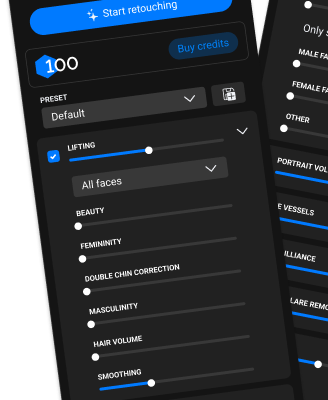
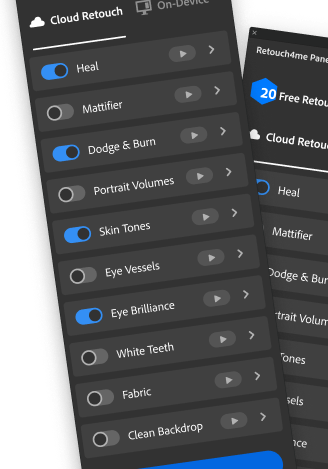
After the download is complete, launch the plugin and sign in using the email and password from your website account. To use the plugin in Photoshop, Lightroom, Arams, and other programs, activate it in the settings of those applications after signing in, if required.
If you have questions, write to support chat on the site, we will always help!
Webinar about retouching, light and technique with demonstration of tools in real work
Live stream with experts where you can ask your questions and analyze real cases in practice.
After the download is complete, launch the plugin and sign in using the email and password from your website account. To use the plugin in Photoshop, Lightroom, Arams, and other programs, activate it in the settings of those applications after signing in, if required.
If you have questions, write to support chat on the site, we will always help!
Webinar about retouching, light and technique with demonstration of tools in real work
Live stream with experts where you can ask your questions and analyze real cases in practice.
After the download is complete, launch the plugin and sign in using the email and password from your website account. To use the plugin in Photoshop, Lightroom, Arams, and other programs, activate it in the settings of those applications after signing in, if required.
If you have questions, write to support chat on the site, we will always help!
Webinar about retouching, light and technique with demonstration of tools in real work
Live stream with experts where you can ask your questions and analyze real cases in practice.
After the download is complete, launch the plugin and sign in using the email and password from your website account. To use the plugin in Photoshop, Lightroom, Arams, and other programs, activate it in the settings of those applications after signing in, if required.
If you have questions, write to support chat on the site, we will always help!
Webinar about retouching, light and technique with demonstration of tools in real work
Live stream with experts where you can ask your questions and analyze real cases in practice.
After the download is complete, launch the plugin and sign in using the email and password from your website account. To use the plugin in Photoshop, Lightroom, Arams, and other programs, activate it in the settings of those applications after signing in, if required.
If you have questions, write to support chat on the site, we will always help!
Webinar about retouching, light and technique with demonstration of tools in real work
Live stream with experts where you can ask your questions and analyze real cases in practice.
After the download is complete, launch the plugin and sign in using the email and password from your website account. To use the plugin in Photoshop, Lightroom, Arams, and other programs, activate it in the settings of those applications after signing in, if required.
If you have questions, write to support chat on the site, we will always help!
Webinar about retouching, light and technique with demonstration of tools in real work
Live stream with experts where you can ask your questions and analyze real cases in practice.
After the download is complete, launch the plugin and sign in using the email and password from your website account. To use the plugin in Photoshop, Lightroom, Arams, and other programs, activate it in the settings of those applications after signing in, if required.
If you have questions, write to support chat on the site, we will always help!
Webinar about retouching, light and technique with demonstration of tools in real work
Live stream with experts where you can ask your questions and analyze real cases in practice.