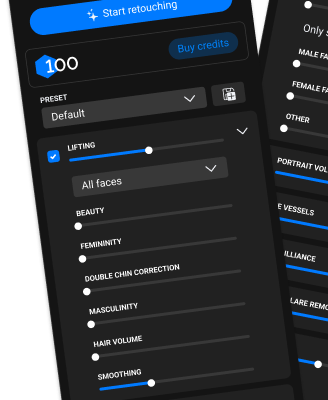
Automatic analysis and selection of the best shots, plus batch retouching. Works locally and in the cloud, combining speed, flexibility, and full control over your files — perfect for large shoots.
All tools for retouching skin, eyes, hair, background, and color are combined in one desktop application. It works in the cloud with layers or without layers for instant photo processing — fast and simple, without complex settings.
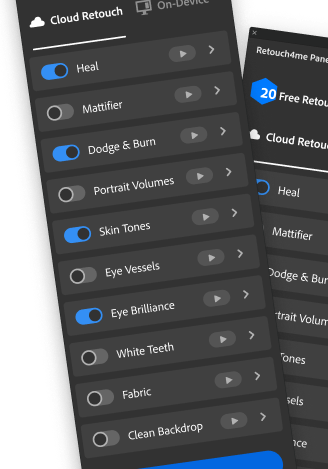
A universal panel for comfortable work in Photoshop Features: AI retouching in the familiar Photoshop interface with the ability to save the result as layers (11 core neural networks). Two modes: on-device retouching or cloud-based retouching.
Removes pimples and minor skin defects all over the body. AI works like a professional retoucher, preserving natural texture. Works as a filter in Photoshop with the result as a layer, available in Arams, Apex and Panel.
AI performs high-end retouching: removes under-eye bags, body bruises, and smooths skin while preserving natural texture. Works as a filter in Photoshop with the result as a layer, available in Arams, Apex and Panel.
This unique AI enhances facial features, allows you to adjust symmetry, emphasize femininity or masculinity in a portrait, replace skin texture, and apply makeup. It works as a filter in Photoshop with the result as a layer. Also available via Arams.
Makes eyes more expressive, removes blood vessels, emphasizes eye color and removes redness. Works as a filter in Photoshop with the result as a layer, available in Arams, Apex and Panel.
AI smooths out wrinkles on clothing. Perfect for group photos at events. Works as a filter in Photoshop with the result as a layer, available in Arams, Apex and Panel.
AI creates a mask on the skin for further retouching. You can select the face, the rest of the skin or the entire body. Works as a filter in Photoshop with the result as a layer, available in Arams, Apex and Panel.
AI for the perfect portrait. Increases the sense of depth: draws the oval of the face, emphasizes the lips and makes the eyes brighter. Works as a filter in Photoshop with the result as a layer, available in Arams, Apex and Panel.
AI finds dirt on studio backgrounds and removes it. Fast, accurate. An indispensable tool for studio photographers. Works as a filter in Photoshop with the result as a layer, available in Arams, Apex and Panel.
AI finds exposed skin areas, determines the average tone and evens out the color. Works great with redness after frost or alcohol. Works as a filter in Photoshop with the result as a layer, available in Arams, Apex and Panel.
Whitens teeth while maintaining natural shade. Works as a filter in Photoshop with the result as a layer, available in Arams, Apex and Panel.
Finds glossy and oily areas of skin in a photo and restores natural color. Photos from weddings or parties will be perfect. Works as a filter in Photoshop with the result as a layer, available in Arams, Apex and Panel.
Retouch4me Frequency Separation — free Photoshop plugin for retouching
AI removes dust and small particles from objects. An indispensable assistant for product photographers.
Determines the optimal option for cropping photos to the desired format. For school albums, corporate portraits, catalogs, etc. Speeds up processing several times.
AI-powered color grading by reference. Copy color schemes from scenes in famous movies, create your own LUTs, or use the free library. Works as a filter in Photoshop with layer-saving support. Also available through the Arams photo editor.
Plugin for color correction of photos using a huge free library of LUT's.
Desktop color correction software