Stray Hairs Removal API
Automatically clean up stray and flyaway hairs in portraits, headshots, fashion images, school photos, and high-volume production workflows.
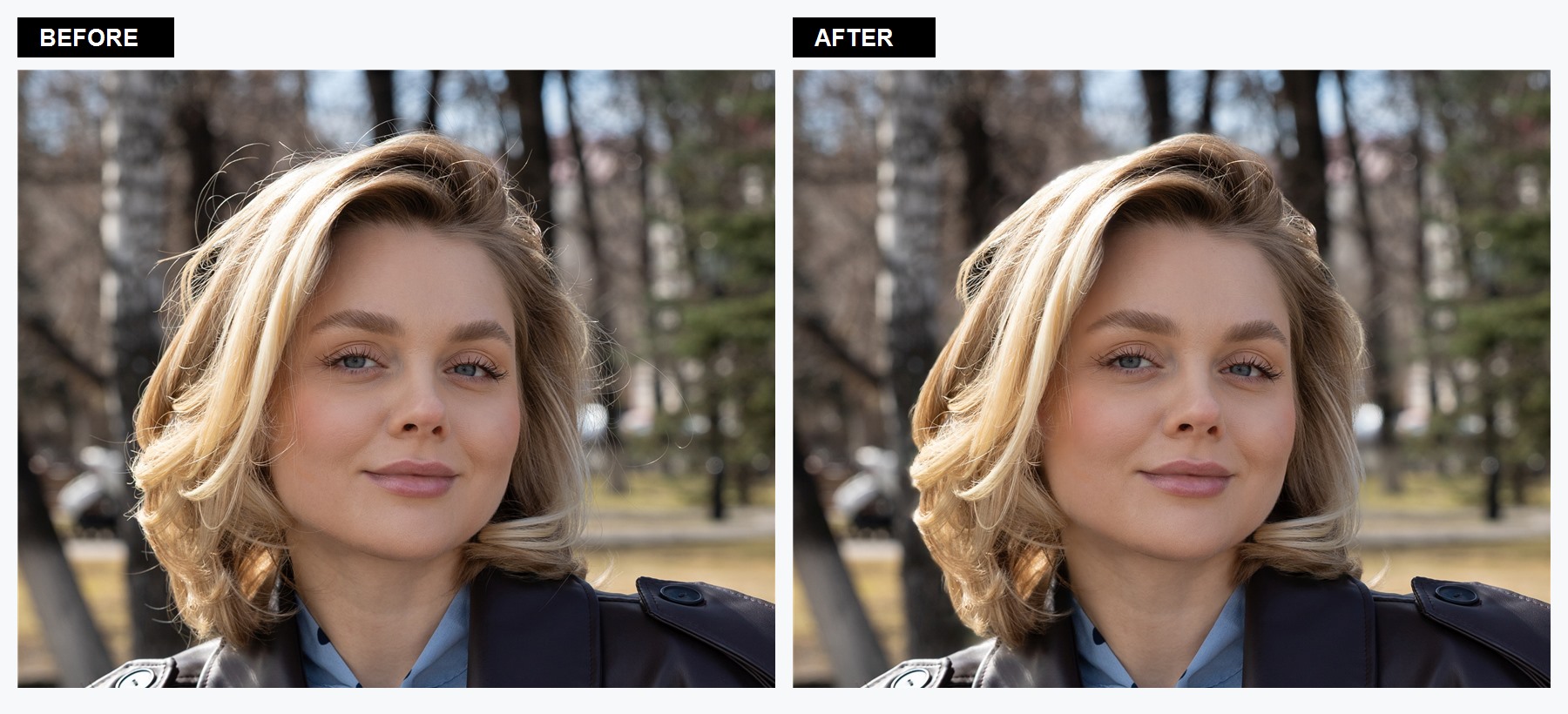
Layer: 0 for a finished retouched image.Layer: 1 for a normal-blend correction layer in a ZIP.Alpha1 from 0 to 1.The Stray Hairs plugin detects loose hairs around and across the hairstyle, reconstructs the affected image regions, and blends the correction through a soft mask. It is intended for automated portrait cleanup while retaining the main hairstyle, face, and surrounding image.
Review at full size: hair edges, textured backgrounds, intentional wisps, and overlapping accessories can be visually ambiguous. Include normal image-quality review in production workflows, especially when using the maximum strength.
Workflows This API Supports
Headshot Retouching
Clean flyaway hairs in corporate portraits, profile photos, resumes, and staff directories.
School And Team Photos
Apply consistent hair cleanup across high-volume portrait batches without manual masking.
Fashion And Ecommerce
Refine model and apparel photography before catalog delivery or downstream retouching.
Studio Portrait Delivery
Reduce repetitive cleanup work in family, beauty, editorial, and personal-brand sessions.
Photo Editor Integration
Add automatic stray hair removal to desktop, web, or internal image-production tools.
Batch Automation
Submit one job per image and track task IDs in an existing DAM, CRM, or production queue.
Choose The Output You Need
Finished Retouched Image
Set Layer: 0 and request JPEG or PNG output. The downloaded file already contains the correction and needs no client-side compositing.
Editable Correction Layer
Set Layer: 1 and outputFormat: "zip". The archive contains an RGBA layer that should be composited over the source using normal blending.
Parameters
| Field | Value | Meaning |
|---|---|---|
Plugin | "Stray Hairs" | Exact professional-mode plugin name. |
Alpha1 | 0..1, default 1 | Visible correction strength. Use 0.5 for a lighter blend and 1 for the full detected correction. |
Scale | 0 | Use automatic/default scale for the documented workflow. |
Layer | 0 or 1 | 0 applies the result to the image. 1 returns a separate RGBA correction layer in a ZIP. |
Ready Image Example
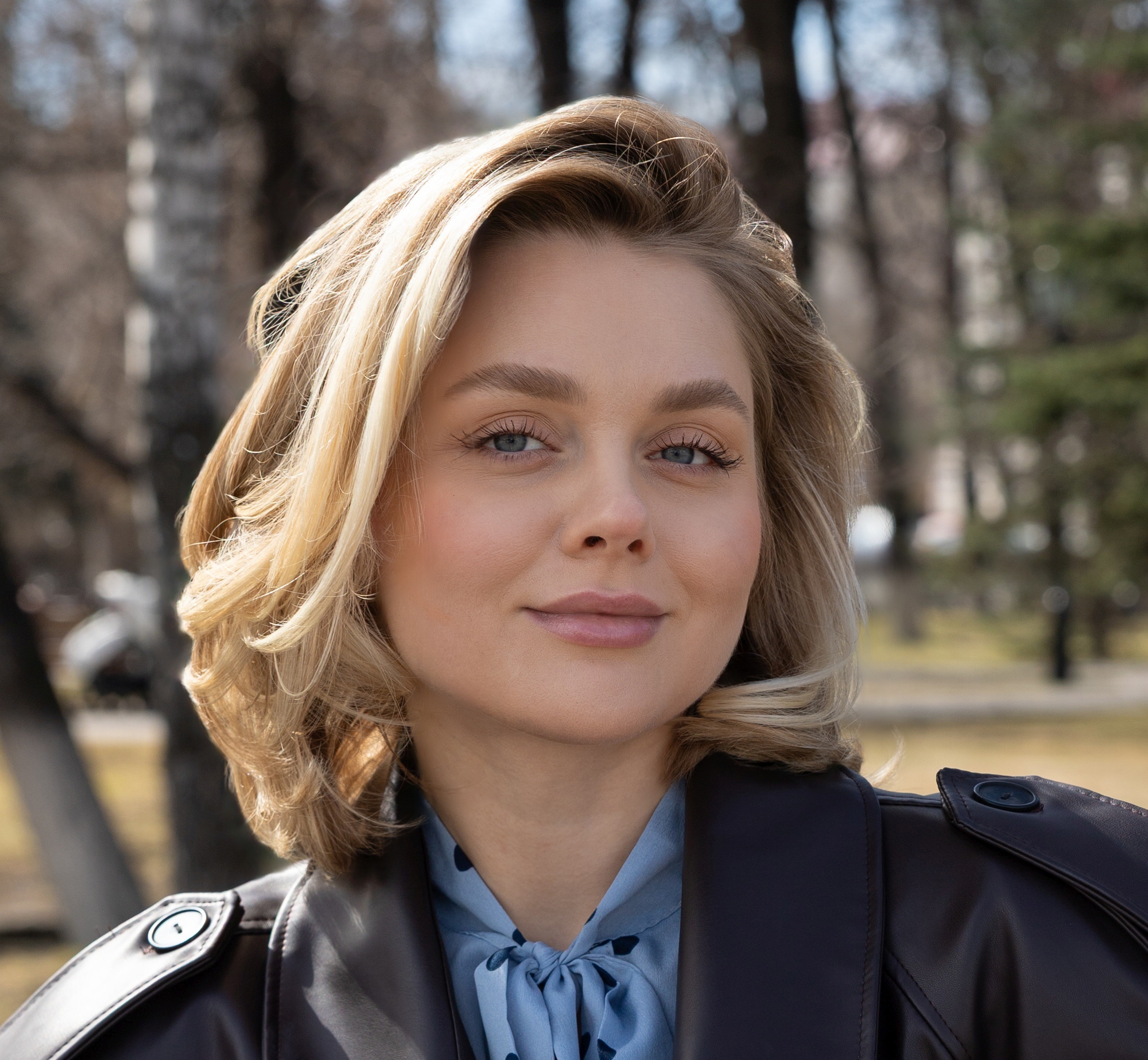
This live Cloud API example uses full strength and returns a finished JPEG. The visible loose hairs above the head and around the hairstyle are removed, while the main hair shape and portrait remain intact.
{
  "mode": "professional",
  "outputFormat": "jpeg",
  "tasks": [
    {
      "Plugin": "Stray Hairs",
      "Scale": 0,
      "Layer": 0,
      "Alpha1": 1.0
    }
  ]
}
cURL Request
curl --location 'https://retoucher.hz.labs.retouch4.me/api/v1/retoucher/start' \
  --form 'file=@Stray_Hairs_API_Source.jpg' \
  --form 'token=YOUR_RETOUCH_TOKEN' \
  --form-string 'payload={"mode":"professional","outputFormat":"jpeg","tasks":[{"Plugin":"Stray Hairs","Scale":0,"Layer":0,"Alpha1":1.0}]}'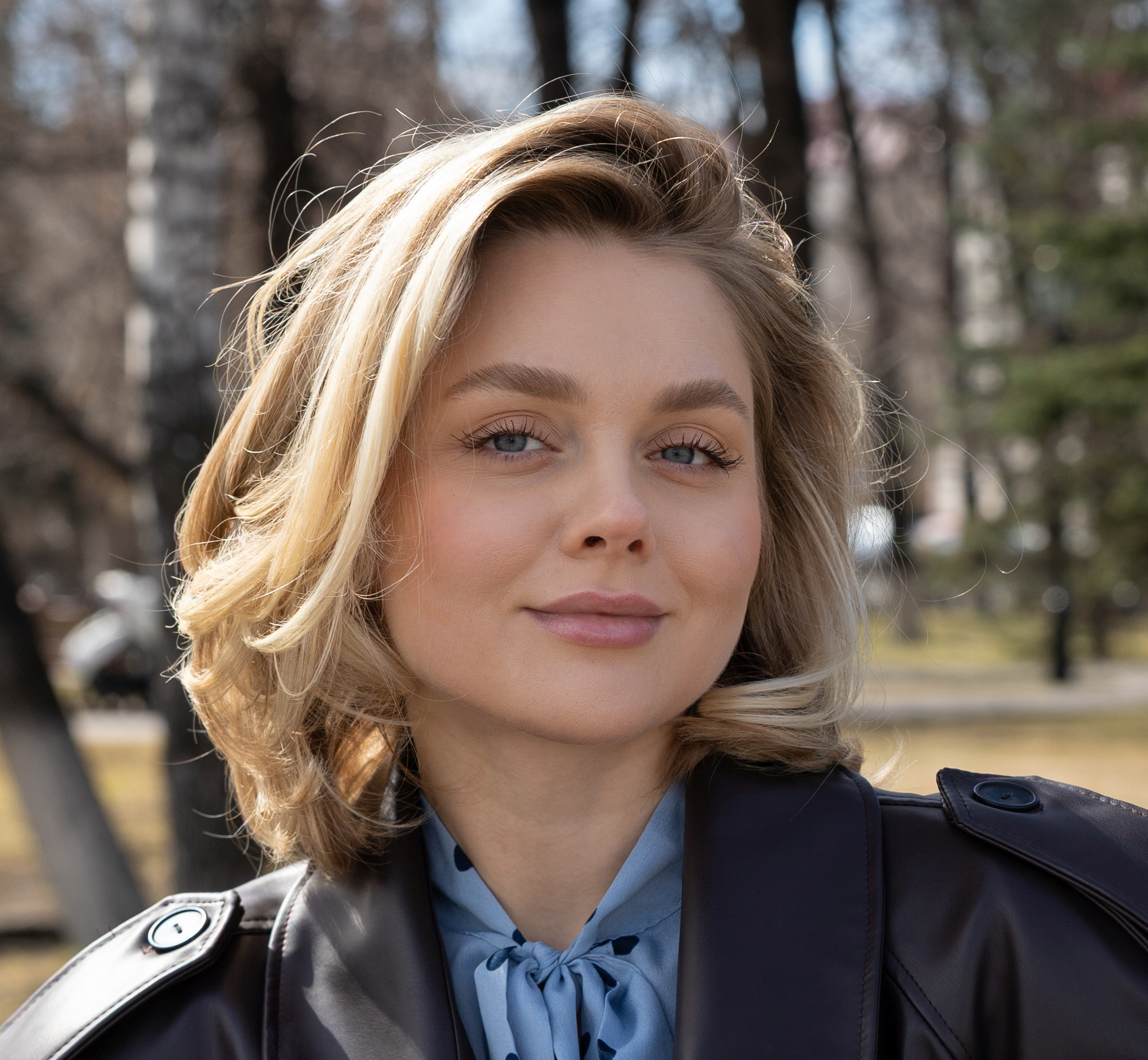
Layered ZIP Example
Use layered output when a retoucher, editor, or review system needs to adjust the correction independently. The ZIP contains a full-size RGBA file named like index=0&blendmode=normal&name=Stray Hairs.png. Its RGB channels contain reconstructed pixels and its alpha channel contains the soft correction mask multiplied by Alpha1.
{
  "mode": "professional",
  "outputFormat": "zip",
  "tasks": [
    {
      "Plugin": "Stray Hairs",
      "Scale": 0,
      "Layer": 1,
      "Alpha1": 1.0
    }
  ]
}
{
"jsonVersion": "1",
"plugins": [
{
"amount": 1.0,
"blendingMode": "normal",
"operationIndex": 0,
"pluginName": "Stray Hairs",
"strayHairsVersion": 1
}
]
}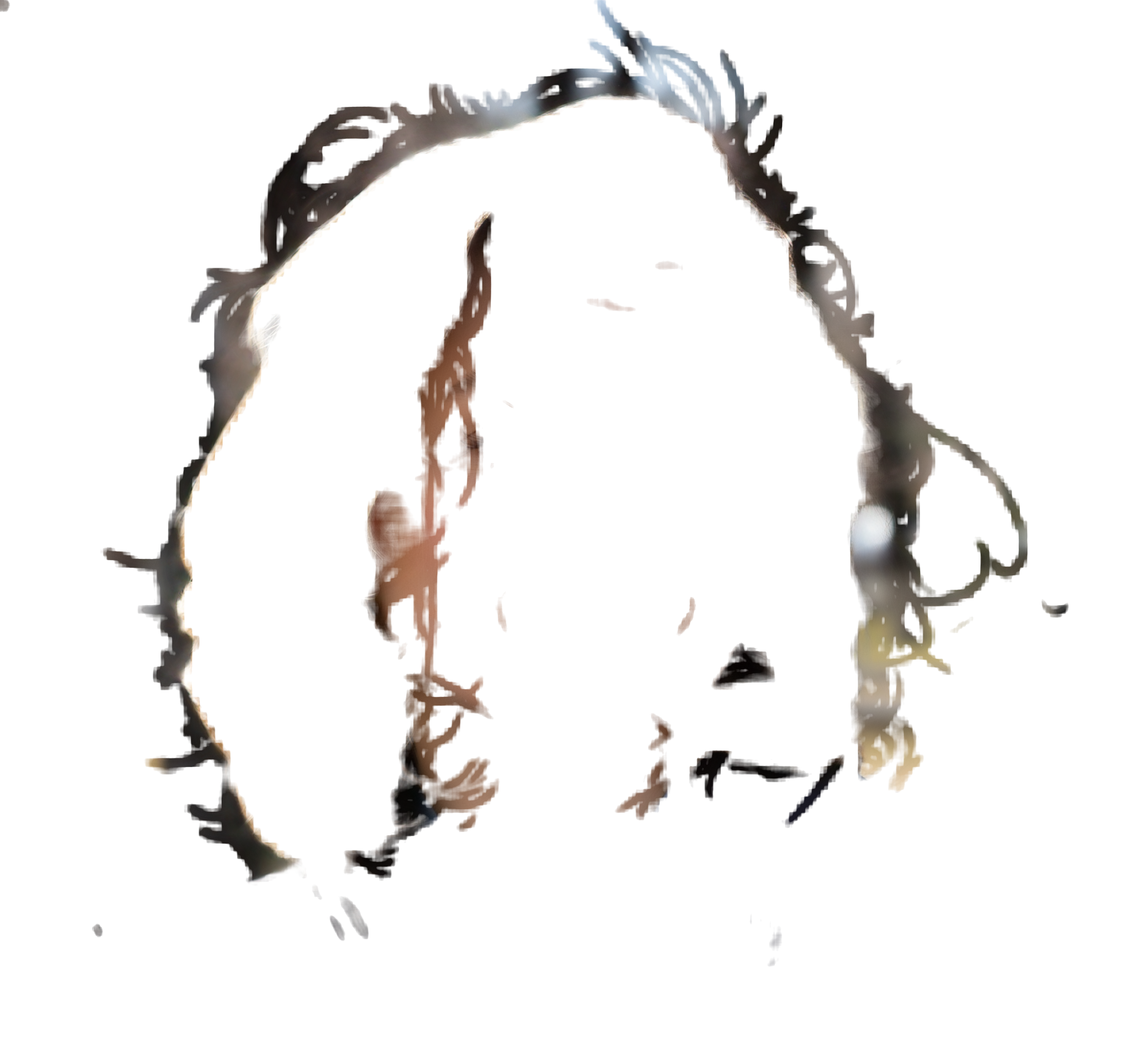
Download the RGBA correction layer or download the complete layered ZIP example.
Integration Flow
- Submit the portraitSend the source file, token, and professional-mode payload to
/retoucher/start. - Poll the taskRequest
/retoucher/status/{id}untilstateiscompleted. - Download the outputFetch the ready image or layered ZIP from
/retoucher/getFile/{id}.
For endpoint responses, errors, authentication, and polling details, see the main Cloud Retouching API documentation. For general task syntax, see the professional task payload reference; for archive handling, see Layers Archive.
Stray Hair Removal API FAQ
Can the API return a finished photo?
Yes. Use Layer: 0 with JPEG or PNG output. The correction is applied before the result is downloaded.
Can I edit the correction separately?
Yes. Use Layer: 1 and ZIP output to receive a full-size RGBA normal-blend layer with a soft alpha mask.
How do I reduce the effect?
Lower Alpha1. For example, 0.5 applies half of the detected correction, while 1.0 applies the full correction.
Does it remove the entire hairstyle?
No. The model targets detected loose and crossing hairs. As with any automated retouching result, inspect difficult hair edges and complex backgrounds at delivery resolution.
Can I process portraits in batches?
Yes. Submit one asynchronous job per image, store each returned task ID, and control concurrency and retries in your own queue.