Retouch4me Cloud AI Retouching API
for Retouch4me AI Image Retouching
This documentation describes an AI-powered retouching platform for teams that need an automated photo retouching API and a cloud-based AI retouching service for portrait retouching, batch processing, and photo post-production workflows. Start with the token instructions below, review the task format, use job status polling as the baseline integration approach, check the webhook integration guide only if you need asynchronous callbacks, and jump to the examples. To remove image backgrounds programmatically, create transparent PNG cutouts, retrieve alpha-only grayscale masks without RGB, or download layered foreground masks, see the AI Background Removal API guide. For image straightening and crop geometry, see the Crop API overview, AI Straighten guide, Pose crop guide, Subject crop and mask guide, passport and ID photo crop API guide, and the Crop manual playground.
General Information
The media server is available at retoucher.hz.labs.retouch4.me.
An alternative domain cf-retoucher.retouch4.me is also available. It is recommended for users located outside of Europe, as it typically provides lower latency and faster response times.
All API requests are made to /api/v1/<route>, for example:
https://retoucher.hz.labs.retouch4.me/api/v1/retoucher/getFile/s0me-very-l0ng-1d
Supported Plugins
This API supports portrait retouching, cleanup, color, and face-aware plugins. For the full payload syntax and parameter details, see task.html.
- Face/person retouching: Heal, Stray Hairs, Dodge Burn, Portrait Volumes, Eye Vessels, Eye Brilliance, White Teeth, Mattifier, Skin Mask, Skin Tone, Face Lifting, Glasses Anti Glare.
- Product and object workflows: Clean Backdrop, Dust, Fabric, and the AI Background Removal API for transparent PNG cutouts, alpha-only grayscale masks without RGB, layered object segmentation masks, ecommerce images, and automated background replacement workflows.
- Color correction: Color Correction.
- Crop and straighten: Crop supports AI image straightening, pose-aware portrait framing, subject-aware product crop, document/passport portrait crop, manual crop geometry, and layered ZIP metadata. See AI Straighten, Pose crop, Subject crop with RLE mask, document portrait crop, and the manual playground.
- Face-aware helpers: Face Detection.
Parameter reference: use the plugin correspondence table for classic Alpha1/Alpha2 plugins, and Additional plugin notes for Stray Hairs, Crop, Dust, Color Correction, Face Detection, Face Lifting, and Glasses Anti Glare.
Retouch Token
Obtain the Retouch token by visiting https://retouch4.me/token_page with an authorized and verified Retouch4me account.
The token is required for all cloud retouching requests that submit or query user work.
For token-specific details, see Retouch token.
Common Error Codes
These error codes can appear across cloud retouching requests when the token is invalid, the task is rejected, or the service cannot complete the requested operation.
- 200 - No errors.
- 400 - Unknown error or invalid request parameters.
- 401 - Token is invalid or expired. The response includes an explanatory message.
- 404 - Requested route or object was not found.
- 460 - Token not found.
- 461 - Processing limit reached.
- 462 - Invalid task for retouch server.
The general retouching pipeline is as follows:
- The image processing task is submitted via
/retoucher/start
- While processing is pending, you can request the current status at
/retoucher/status/{id}
- If the process completes successfully, the result can be fetched from
/retoucher/getFile/{id}
Retrieve Balance /api/v1/balance
Before submitting a processing task, you can check how many cloud retouch credits remain for the current user.
| Protocol | HTTP |
| Method | POST |
| contentType | application/json |
The request must be sent to the same host as other API requests:
/api/v1/balance
The following header is required:
X-Retouch-Token- a valid retouch token for the user
The following fields are expected in the JSON request body:
modes- array of requested credit types, for example["professional"]
Example request:
curl --location --request POST 'https://retoucher.vm.labs.retouch4.me/api/v1/balance' \
--header 'X-Retouch-Token: reto_x7K2mQ9Lp4Nz8Vb1cR5Ty0Hs' \
--header 'Content-Type: application/json' \
--data-raw '{
    "modes": ["professional"]
}'
Successful response:
{
  "status": 200,
  "remaining": {
    "professional": 5
  }
}
If the token is invalid or expired, the endpoint returns a 401 error with an explanatory message.
Register Task /retoucher/start
Request Description
| Protocol | HTTP |
| Method | POST |
| contentType | multipart/form-data |
The following fields are expected in the request body:
- file - an image file in jpeg, png, or jpg format
- token - user token obtained from token_page
- payload - JSON string describing the task
Processing
- The task is registered on the server and receives a unique ID
- User token is verified
- The task is queued for processing and returns the task ID
Successful Response
If the request is successful, the task is queued, and the server returns
a JSON object with the following fields:
- status - 200
- id - unique task ID used to request the result and processing status
- retouchQuota - remaining retouch attempts for the user for the current day
Possible Errors
If the request is missing a file, the server returns a 400 error with message="No file uploaded"
If there are issues on the server, it returns a 500 error with an error message.
If token validation fails or the account cannot authorize the request, the API returns a 4xx error with a token-related message.
If the server cannot communicate with the CRM or returns a 200 status, processing continues.
Retouch Status Request /retoucher/status/{id}
| Protocol | HTTP |
| Method | GET |
Request Description
GET request, id is passed in the URL.
Example request:
https://retoucher.hz.labs.retouch4.me/api/v1/retoucher/status/s0me-very-l0ng-1d
Successful Response
In case of a successful request, the server returns JSON with the following fields:
- status - 200
- state - task status
- completed - task completed successfully
- failed - an error occurred during processing
- waiting - task is waiting in queue
- active - task is being processed
- delayed - task is delayed
- progress - number between 0 and 100, indicating the progress of the task
- reason - if the state is failed, the reason field will contain an error message
Possible Errors
If no task with the given id is found, the server returns a 404 error
If there is a server error, a 500 error is returned
Notes
It's better not to request status updates too frequently, such as using a 1-second interval
Get Retouch Result /retoucher/getFile/{id}
Request Description
GET request, id is passed as a param in the URL (similar to the status request).
Successful Response
Depending on the task, this endpoint returns:
- Image file for a flattened professional retouching task.
- ZIP archive with images for a professional task that requests one or more separate layers.
This documentation covers only mode=professional. Use flattened output when you want a final image, or layered output when you want a ZIP archive for manual compositing.
Possible Errors
If no task with the given id is found, the server returns a 404 error
If there is a server error, a 500 error is returned
Notes
The /retoucher/getFile request should be made only after receiving a status with state="completed". Even if progress=100, the result may not yet be saved in a file, and the server won’t be able to return it.
It’s also not possible to request old files, as the results are stored for only 24 hours.
Limitations
Before submitting a retouch request, you should check the file (photo or archive) for limitations. The list of limitations can be obtained with a GET request to /info/limits
This endpoint returns JSON in the following format:
{
image: {
formats: ["png", "jpg", "jpeg"],
maxFileSizeInMB: 100,
maxMegapixels: 250
},
archive: {
formats: ["zip"]
}
}
The JSON above indicates that the allowed image formats are png, jpg, jpeg, the maximum file size is 100 MB, and the image resolution should not exceed 250 megapixels.
If these limitations are violated, the task may not be processed.
At the moment, this endpoint is not available in production.
FAQ
How do I get a retouch token?
Use the token acquisition instructions above to obtain a valid token for every cloud retouch request.
How do I submit a retouching task?
Send a multipart request to /retoucher/start with the source image, token, and JSON payload. The payload structure is described on the task format page.
How do I check processing progress?
Poll /retoucher/status/{id} until the task reaches completed or failed.
How do I download the result?
After completion, download the final file or layered archive from /retoucher/getFile/{id}.
Which formats are supported?
The service accepts common image formats such as JPEG and PNG and can return either a flat retouched image or a ZIP archive with layers, depending on the payload.
Technical Support and Specialized Features
For Cloud API integration questions, technical troubleshooting, or requests for specialized functionality, contact relu@retouch4.me.
Complete Examples
These examples use one source photo and two task payloads: one returns a final retouched JPEG, and the other returns a layered ZIP archive.
Example 1 - All-In-One Retouching
This example sends a flat task and receives one final JPEG file.
Important: the final look depends on the JSON payload. The same source image can produce a lighter, balanced, or stronger retouch depending on the plugin parameters you choose.
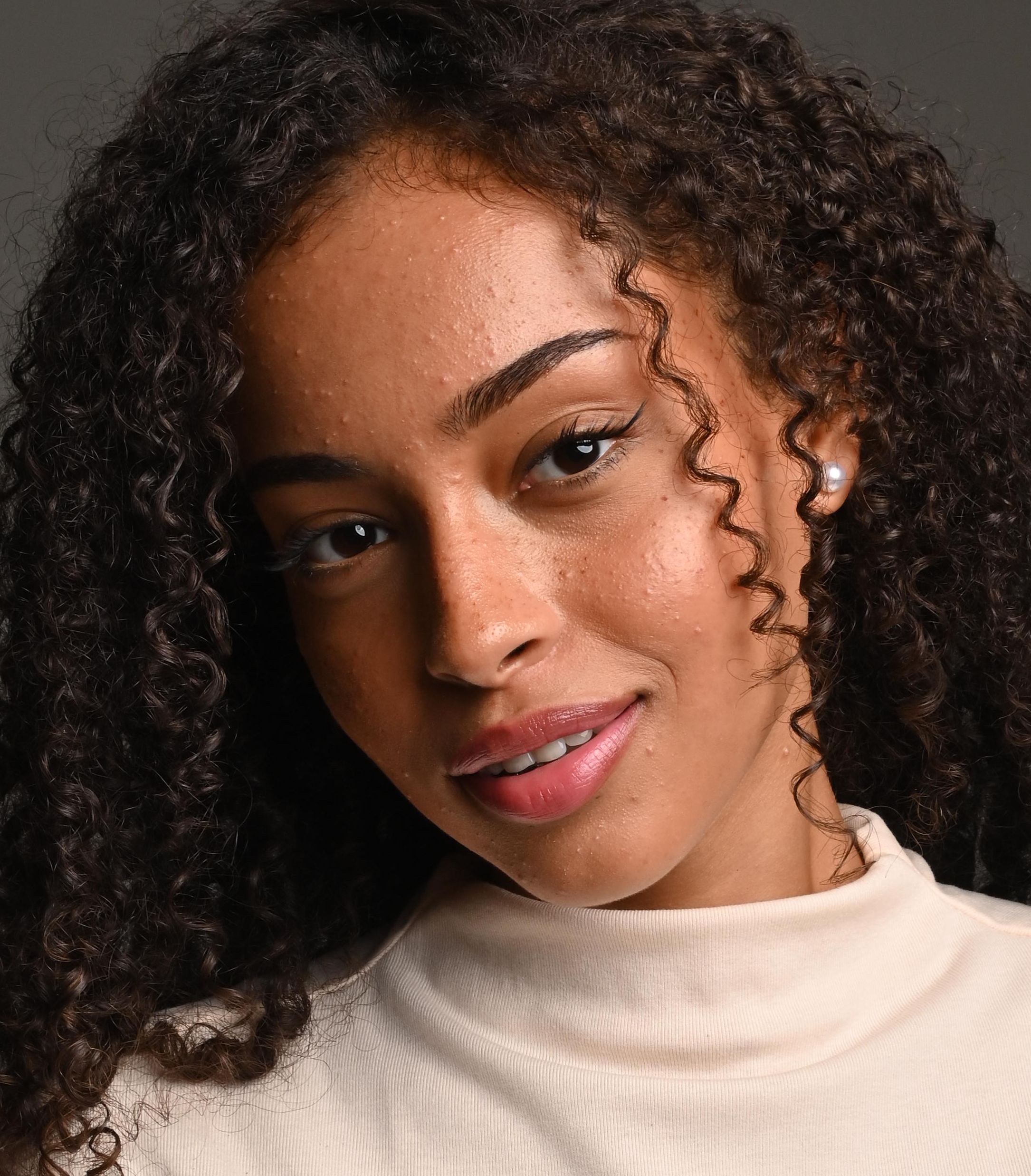
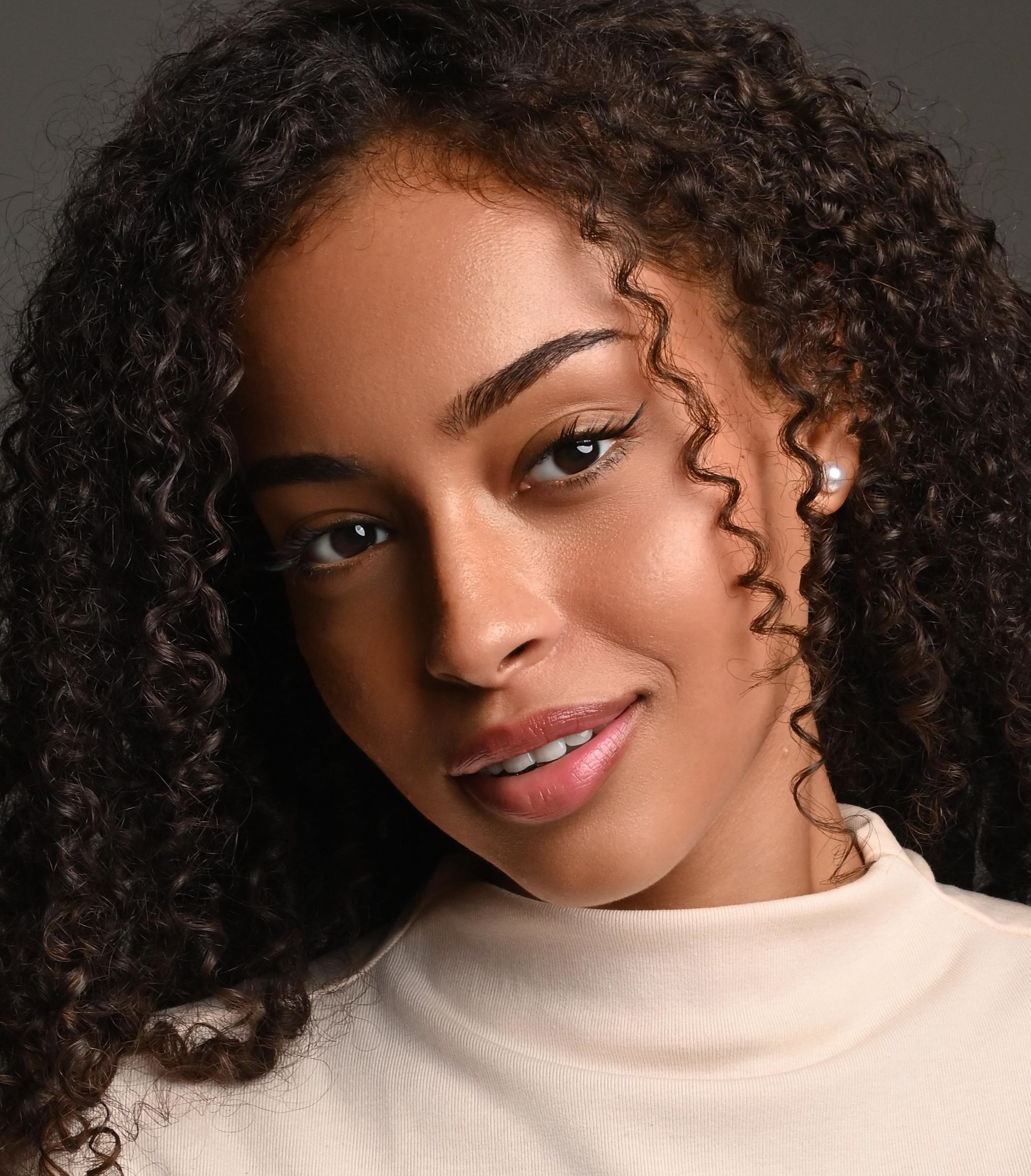
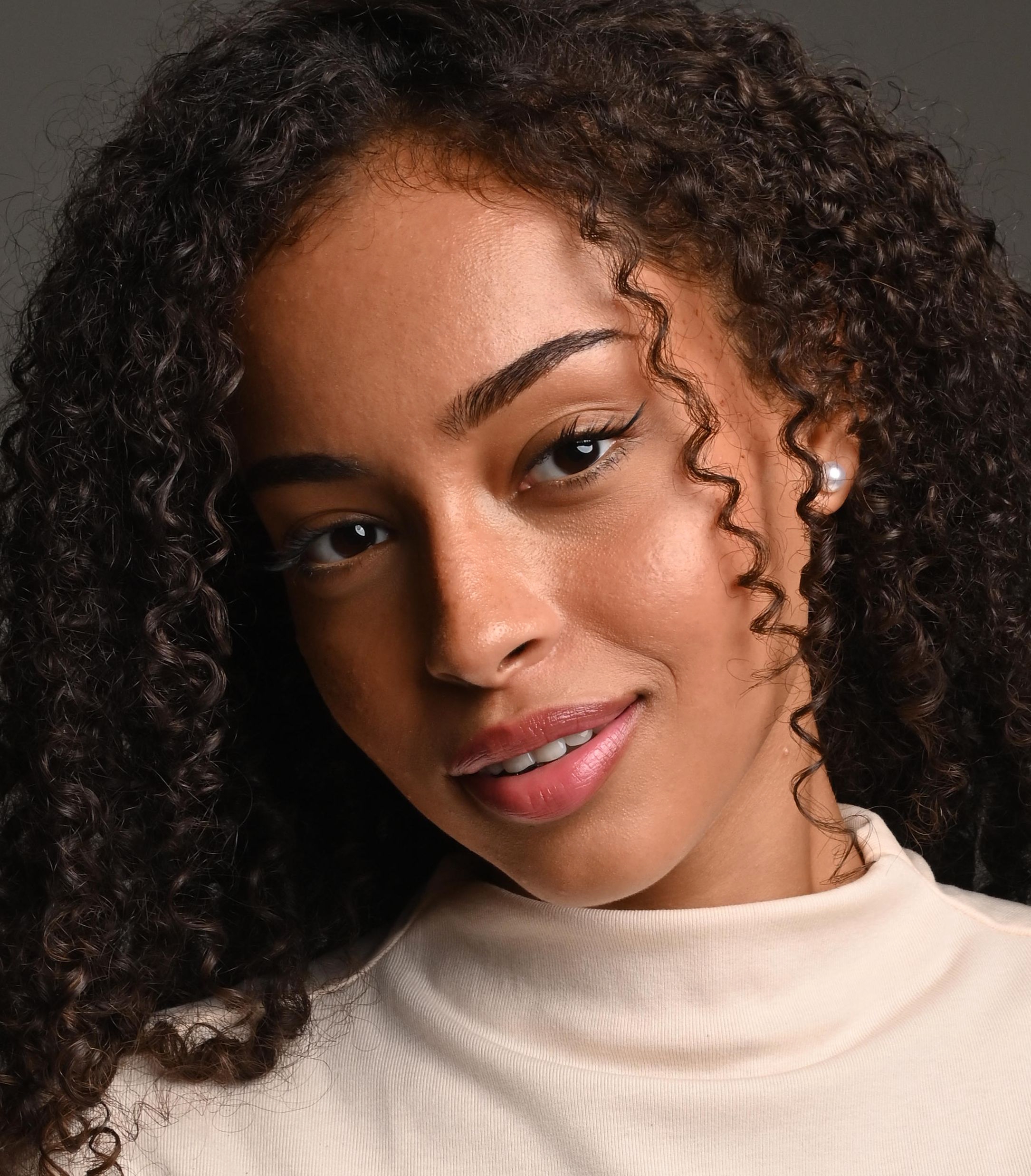
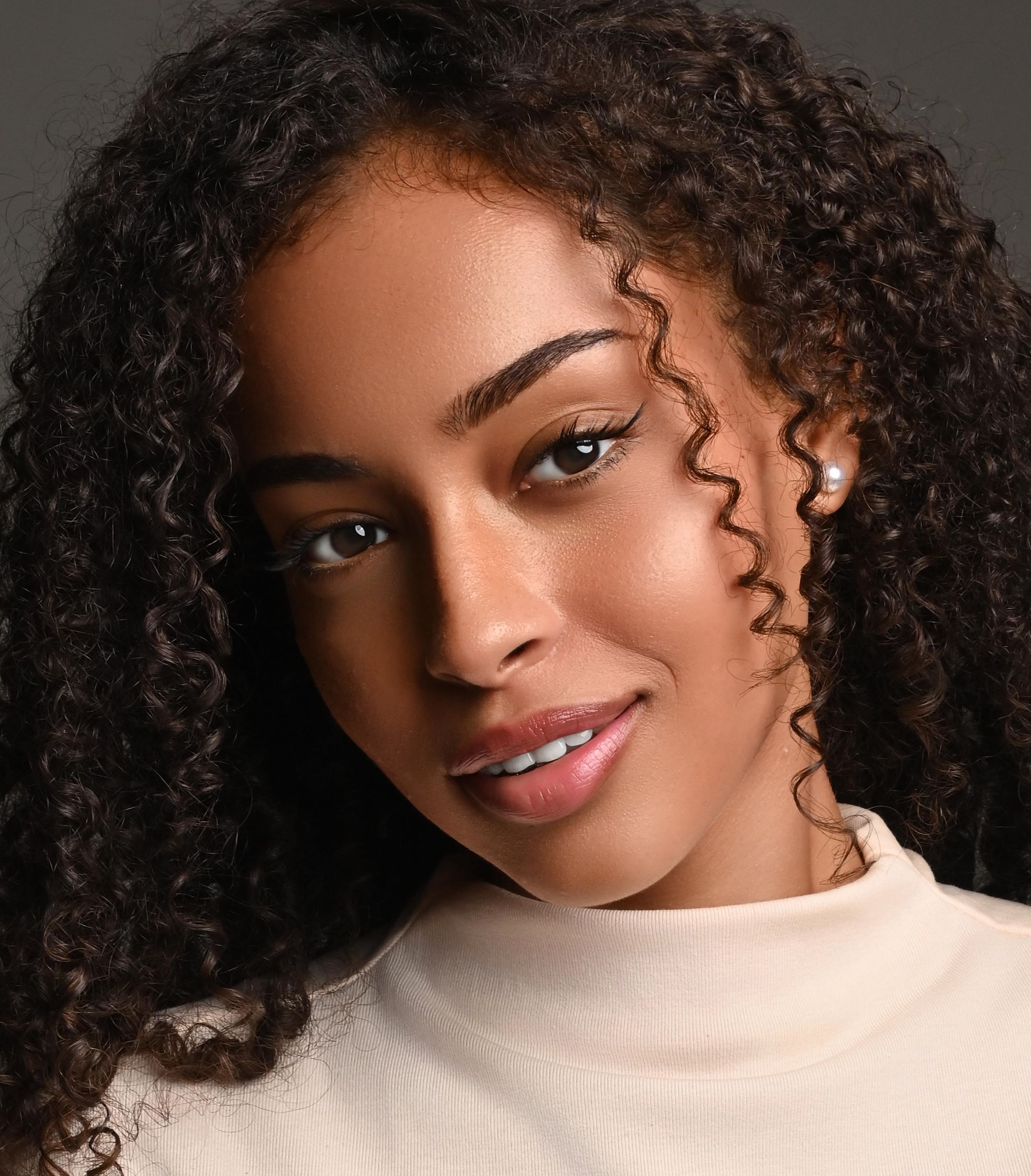
Payload presets: use the same /retoucher/start request and replace only the JSON in the payload field.
Balanced retouching JSON: a moderate preset for a clean, commercial result.
Note: Dodge Burn uses Scale: 2 in this example for more detailed work.
{
  "mode": "professional",
  "tasks": [
    {"Plugin": "Heal", "Scale": 0, "Alpha1": 1.0},
    {"Plugin": "Fabric", "Scale": 0, "Alpha1": 0.39},
    {"Plugin": "Eye Vessels", "Scale": 0, "Alpha1": 1.0},
    {"Plugin": "Eye Brilliance", "Scale": 0, "Alpha1": 0.5},
    {"Plugin": "White Teeth", "Scale": 0, "Alpha1": 0.25, "Alpha2": 0.25},
    {"Plugin": "Dodge Burn", "Scale": 2, "Alpha1": 1.0, "Alpha2": 0.2},
    {"Plugin": "Skin Tone", "Scale": 0, "Alpha1": 1.0, "Alpha2": 1.0},
    {"Plugin": "Portrait Volumes", "Scale": 0, "Alpha1": 0.5}
  ]
}
Slight retouching JSON: lower values for a softer result that keeps more of the original skin texture and contrast.
{
  "mode": "professional",
  "tasks": [
    {"Plugin": "Heal", "Scale": 0, "Alpha1": 0.8},
    {"Plugin": "Eye Vessels", "Scale": 0, "Alpha1": 0.35},
    {"Plugin": "White Teeth", "Scale": 0, "Alpha1": 0.1, "Alpha2": 0.08},
    {"Plugin": "Dodge Burn", "Scale": 2, "Alpha1": 0.35, "Alpha2": 0.08},
    {"Plugin": "Skin Tone", "Scale": 0, "Alpha1": 0.35, "Alpha2": 0.35},
    {"Plugin": "Portrait Volumes", "Scale": 0, "Alpha1": 0.18}
  ]
}
Heavy retouching JSON: higher values for a stronger polished look with more visible cleanup and shaping.
{
  "mode": "professional",
  "tasks": [
    {"Plugin": "Heal", "Scale": 0, "Alpha1": 0.9},
    {"Plugin": "Fabric", "Scale": 0, "Alpha1": 0.75},
    {"Plugin": "Eye Vessels", "Scale": 0, "Alpha1": 0.9},
    {"Plugin": "Eye Brilliance", "Scale": 0, "Alpha1": 0.85},
    {"Plugin": "White Teeth", "Scale": 0, "Alpha1": 0.65, "Alpha2": 0.55},
    {"Plugin": "Dodge Burn", "Scale": 2, "Alpha1": 1.35, "Alpha2": 0.35},
    {"Plugin": "Skin Tone", "Scale": 0, "Alpha1": 1.15, "Alpha2": 1.15},
    {"Plugin": "Portrait Volumes", "Scale": 0, "Alpha1": 0.9}
  ]
}
Start request: submit the source image, token, and inline JSON payload. Replace the payload with whichever preset matches your preferred look.
Baseline approach: submit the task, then poll /retoucher/status/{id} until the job is complete.
Webhook option: if you want asynchronous completion callbacks instead of relying only on polling, add the optional hook form field and follow the webhook integration guide. Before using webhooks, send the list of webhook domains to relu@retouch4.me so they can be approved.
curl --location 'https://retoucher.hz.labs.retouch4.me/api/v1/retoucher/start' \
  --form 'file=@"DSC_6229_Sample.jpg"' \
  --form 'token="retoexampletokenvaluex83n4j2k9q7m5p1"' \
  --form-string 'payload={"mode":"professional","tasks":[{"Plugin":"Heal","Scale":0,"Alpha1":1.0},{"Plugin":"Fabric","Scale":0,"Alpha1":0.39},{"Plugin":"Eye Vessels","Scale":0,"Alpha1":1.0},{"Plugin":"Eye Brilliance","Scale":0,"Alpha1":0.5},{"Plugin":"White Teeth","Scale":0,"Alpha1":0.25,"Alpha2":0.25},{"Plugin":"Dodge Burn","Scale":2,"Alpha1":1.0,"Alpha2":0.2},{"Plugin":"Skin Tone","Scale":0,"Alpha1":1.0,"Alpha2":1.0},{"Plugin":"Portrait Volumes","Scale":0,"Alpha1":0.5}]}'
curl --location "https://retoucher.hz.labs.retouch4.me/api/v1/retoucher/start" --form "file=@DSC_6229_Sample.jpg" --form "token=retoexampletokenvaluex83n4j2k9q7m5p1" --form-string "payload={\"mode\":\"professional\",\"tasks\":[{\"Plugin\":\"Heal\",\"Scale\":0,\"Alpha1\":1.0},{\"Plugin\":\"Fabric\",\"Scale\":0,\"Alpha1\":0.39},{\"Plugin\":\"Eye Vessels\",\"Scale\":0,\"Alpha1\":1.0},{\"Plugin\":\"Eye Brilliance\",\"Scale\":0,\"Alpha1\":0.5},{\"Plugin\":\"White Teeth\",\"Scale\":0,\"Alpha1\":0.25,\"Alpha2\":0.25},{\"Plugin\":\"Dodge Burn\",\"Scale\":2,\"Alpha1\":1.0,\"Alpha2\":0.2},{\"Plugin\":\"Skin Tone\",\"Scale\":0,\"Alpha1\":1.0,\"Alpha2\":1.0},{\"Plugin\":\"Portrait Volumes\",\"Scale\":0,\"Alpha1\":0.5}]}"Start response: the API returns a task id that is later used for polling and file download.
{
  "status": 200,
  "id": "jpeg-example-job-id",
  "retouchQuota": 999
}
Status request: poll the task id until the state becomes completed.
curl --location 'https://retoucher.hz.labs.retouch4.me/api/v1/retoucher/status/jpeg-example-job-id'Status response: real in-progress example.
{
  "status": 200,
  "state": "active",
  "progress": 5,
  "reason": "",
  "attempt": 1,
  "currentStep": "downloading",
  "maxAttempts": 3,
  "pluginName": "",
  "expireDate": "2026-03-18T21:58:47.836Z"
}
Status response: real completed example.
{
  "status": 200,
  "state": "completed",
  "progress": 100,
  "reason": "",
  "attempt": 1,
  "currentStep": "uploading",
  "maxAttempts": 3,
  "pluginName": "",
  "expireDate": "2026-03-18T21:29:16.144Z"
}
Note: in the current API, currentStep may still show the last processing stage name even when state is already completed.
Download request: fetch the finished JPEG file by task id.
curl --location 'https://retoucher.hz.labs.retouch4.me/api/v1/retoucher/getFile/jpeg-example-job-id' \
  --output DSC_6229_Cloud_Retouch.jpg
curl --location "https://retoucher.hz.labs.retouch4.me/api/v1/retoucher/getFile/jpeg-example-job-id" --output DSC_6229_Cloud_Retouch.jpgComplete Workflow Scripts
These examples cover the whole photo retouching flow: submit the source image, poll the job status until completion, and download the final JPEG.
Set RETOUCH_TOKEN before running them. Each example uses the balanced all-in-one payload shown above and writes the result file next to the sample image.
Runtime: PHP with cURL enabled.
<?php
declare(strict_types=1);

const API_BASE = 'https://retoucher.hz.labs.retouch4.me/api/v1/retoucher';

$token = getenv('RETOUCH_TOKEN') ?: '<your_token_here>';
$sourceFile = __DIR__ . '/../DSC_6229_Sample.jpg';
$outputFile = __DIR__ . '/../retouch_result_php.jpg';

$payload = [
    'mode' => 'professional',
    'tasks' => [
        ['Plugin' => 'Heal', 'Scale' => 0, 'Alpha1' => 1.0],
        ['Plugin' => 'Fabric', 'Scale' => 0, 'Alpha1' => 0.39],
        ['Plugin' => 'Eye Vessels', 'Scale' => 0, 'Alpha1' => 1.0],
        ['Plugin' => 'Eye Brilliance', 'Scale' => 0, 'Alpha1' => 0.5],
        ['Plugin' => 'White Teeth', 'Scale' => 0, 'Alpha1' => 0.25, 'Alpha2' => 0.25],
        ['Plugin' => 'Dodge Burn', 'Scale' => 2, 'Alpha1' => 1.0, 'Alpha2' => 0.2],
        ['Plugin' => 'Skin Tone', 'Scale' => 0, 'Alpha1' => 1.0, 'Alpha2' => 1.0],
        ['Plugin' => 'Portrait Volumes', 'Scale' => 0, 'Alpha1' => 0.5],
    ],
];

$jobId = startJob($token, $sourceFile, $payload);
$status = waitForCompletion($jobId);
downloadResult($jobId, $outputFile);

function startJob(string $token, string $sourceFile, array $payload): string
{
    $response = requestJson(
        API_BASE . '/start',
        [
            CURLOPT_POST => true,
            CURLOPT_POSTFIELDS => [
                'file' => new CURLFile($sourceFile),
                'token' => $token,
                'payload' => json_encode($payload, JSON_UNESCAPED_SLASHES),
            ],
        ]
    );

    return (string) $response['id'];
}

function waitForCompletion(string $jobId): array
{
    while (true) {
        $response = requestJson(API_BASE . '/status/' . rawurlencode($jobId));

        if (($response['state'] ?? '') === 'completed') {
            return $response;
        }

        if (($response['state'] ?? '') === 'failed') {
            throw new RuntimeException('Job failed: ' . ($response['reason'] ?? 'unknown'));
        }

        sleep(5);
    }
}

function downloadResult(string $jobId, string $outputFile): void
{
    $fp = fopen($outputFile, 'wb');
    $ch = curl_init(API_BASE . '/getFile/' . rawurlencode($jobId));
    curl_setopt_array($ch, [CURLOPT_FILE => $fp, CURLOPT_FOLLOWLOCATION => true]);
    curl_exec($ch);
    curl_close($ch);
    fclose($fp);
}

function requestJson(string $url, array $extraOptions = []): array
{
    $ch = curl_init($url);
    curl_setopt_array($ch, [CURLOPT_RETURNTRANSFER => true] + $extraOptions);
    $body = curl_exec($ch);
    curl_close($ch);
    return json_decode((string) $body, true);
}
Runtime: Python 3 standard library only.
import json
import mimetypes
import os
import time
import urllib.request
import uuid

API_BASE = "https://retoucher.hz.labs.retouch4.me/api/v1/retoucher"
SOURCE_FILE = os.path.join(os.path.dirname(__file__), "..", "DSC_6229_Sample.jpg")
OUTPUT_FILE = os.path.join(os.path.dirname(__file__), "..", "retouch_result_python.jpg")
TOKEN = os.environ.get("RETOUCH_TOKEN", "<your_token_here>")

PAYLOAD = {
    "mode": "professional",
    "tasks": [
        {"Plugin": "Heal", "Scale": 0, "Alpha1": 1.0},
        {"Plugin": "Fabric", "Scale": 0, "Alpha1": 0.39},
        {"Plugin": "Eye Vessels", "Scale": 0, "Alpha1": 1.0},
        {"Plugin": "Eye Brilliance", "Scale": 0, "Alpha1": 0.5},
        {"Plugin": "White Teeth", "Scale": 0, "Alpha1": 0.25, "Alpha2": 0.25},
        {"Plugin": "Dodge Burn", "Scale": 2, "Alpha1": 1.0, "Alpha2": 0.2},
        {"Plugin": "Skin Tone", "Scale": 0, "Alpha1": 1.0, "Alpha2": 1.0},
        {"Plugin": "Portrait Volumes", "Scale": 0, "Alpha1": 0.5},
    ],
}

def start_job():
    boundary = f"----RetouchBoundary{uuid.uuid4().hex}"
    body = build_multipart_body(
        boundary,
        [("token", TOKEN), ("payload", json.dumps(PAYLOAD, separators=(",", ":")))],
        [("file", SOURCE_FILE)],
    )
    request = urllib.request.Request(
        f"{API_BASE}/start",
        data=body,
        method="POST",
        headers={"Content-Type": f"multipart/form-data; boundary={boundary}"},
    )
    with urllib.request.urlopen(request) as response:
        return json.loads(response.read().decode("utf-8"))["id"]

def wait_for_completion(job_id):
    while True:
        with urllib.request.urlopen(f"{API_BASE}/status/{job_id}") as response:
            data = json.loads(response.read().decode("utf-8"))
        if data.get("state") == "completed":
            return
        if data.get("state") == "failed":
            raise RuntimeError(data.get("reason", "unknown"))
        time.sleep(5)

def download_result(job_id):
    with urllib.request.urlopen(f"{API_BASE}/getFile/{job_id}") as response:
        with open(OUTPUT_FILE, "wb") as f:
            f.write(response.read())

def build_multipart_body(boundary, fields, files):
    chunks = []
    for name, value in fields:
        chunks += [
            f"--{boundary}\r\n".encode(),
            f'Content-Disposition: form-data; name="{name}"\r\n\r\n'.encode(),
            str(value).encode(),
            b"\r\n",
        ]
    for field_name, file_path in files:
        filename = os.path.basename(file_path)
        content_type = mimetypes.guess_type(filename)[0] or "application/octet-stream"
        with open(file_path, "rb") as f:
            file_content = f.read()
        chunks += [
            f"--{boundary}\r\n".encode(),
            f'Content-Disposition: form-data; name="{field_name}"; filename="{filename}"\r\n'.encode(),
            f"Content-Type: {content_type}\r\n\r\n".encode(),
            file_content,
            b"\r\n",
        ]
    chunks.append(f"--{boundary}--\r\n".encode())
    return b"".join(chunks)

job_id = start_job()
wait_for_completion(job_id)
download_result(job_id)
Runtime: Node.js 18+ with native fetch, FormData, and Blob.
const fs = require('node:fs/promises');
const path = require('node:path');

const API_BASE = 'https://retoucher.hz.labs.retouch4.me/api/v1/retoucher';
const sourceFile = path.join(__dirname, '..', 'DSC_6229_Sample.jpg');
const outputFile = path.join(__dirname, '..', 'retouch_result_js.jpg');
const token = process.env.RETOUCH_TOKEN || '<your_token_here>';

const payload = {
  mode: 'professional',
  tasks: [
    { Plugin: 'Heal', Scale: 0, Alpha1: 1.0 },
    { Plugin: 'Fabric', Scale: 0, Alpha1: 0.39 },
    { Plugin: 'Eye Vessels', Scale: 0, Alpha1: 1.0 },
    { Plugin: 'Eye Brilliance', Scale: 0, Alpha1: 0.5 },
    { Plugin: 'White Teeth', Scale: 0, Alpha1: 0.25, Alpha2: 0.25 },
    { Plugin: 'Dodge Burn', Scale: 2, Alpha1: 1.0, Alpha2: 0.2 },
    { Plugin: 'Skin Tone', Scale: 0, Alpha1: 1.0, Alpha2: 1.0 },
    { Plugin: 'Portrait Volumes', Scale: 0, Alpha1: 0.5 },
  ],
};

async function startJob() {
  const fileBuffer = await fs.readFile(sourceFile);
  const formData = new FormData();
  formData.append('file', new Blob([fileBuffer]), path.basename(sourceFile));
  formData.append('token', token);
  formData.append('payload', JSON.stringify(payload));

  const response = await fetch(`${API_BASE}/start`, { method: 'POST', body: formData });
  const data = await response.json();
  if (!response.ok) throw new Error(JSON.stringify(data));
  return data.id;
}

async function waitForCompletion(jobId) {
  while (true) {
    const response = await fetch(`${API_BASE}/status/${encodeURIComponent(jobId)}`);
    const data = await response.json();
    if (data.state === 'completed') return;
    if (data.state === 'failed') throw new Error(data.reason || 'unknown');
    await new Promise((resolve) => setTimeout(resolve, 5000));
  }
}

async function downloadResult(jobId) {
  const response = await fetch(`${API_BASE}/getFile/${encodeURIComponent(jobId)}`);
  const buffer = Buffer.from(await response.arrayBuffer());
  await fs.writeFile(outputFile, buffer);
}

(async () => {
  const jobId = await startJob();
  await waitForCompletion(jobId);
  await downloadResult(jobId);
})();
Example 2 - AI Color Correction
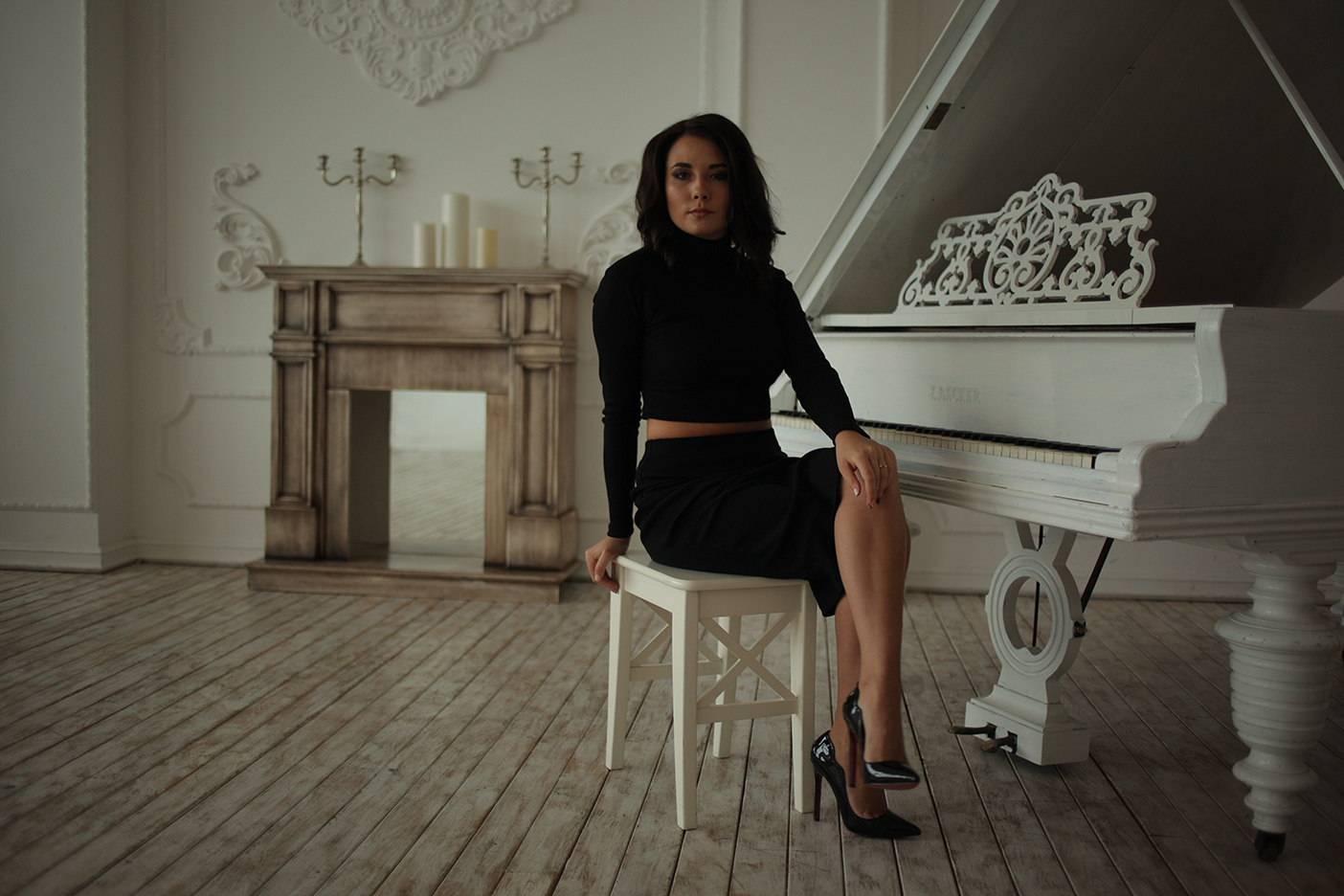
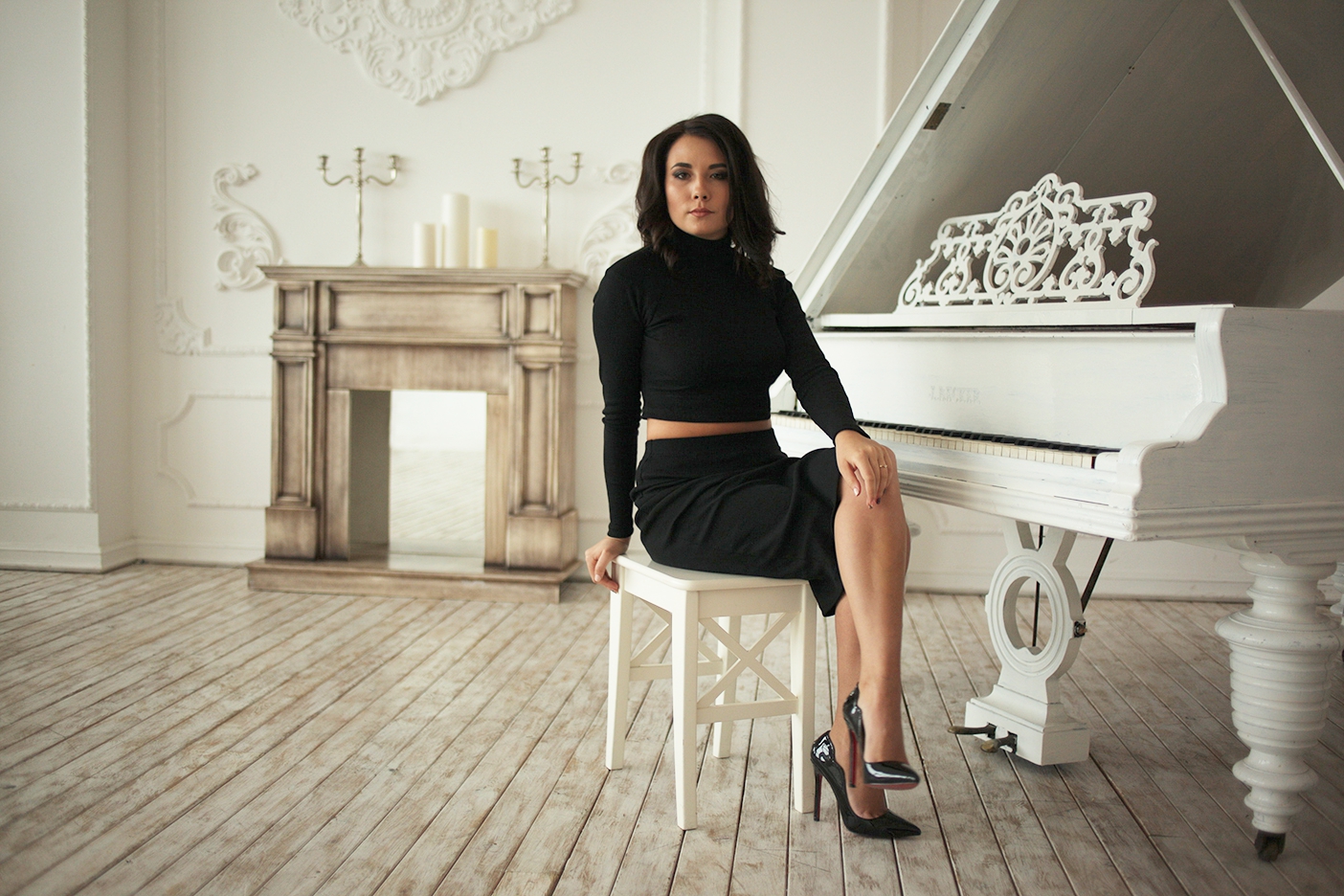
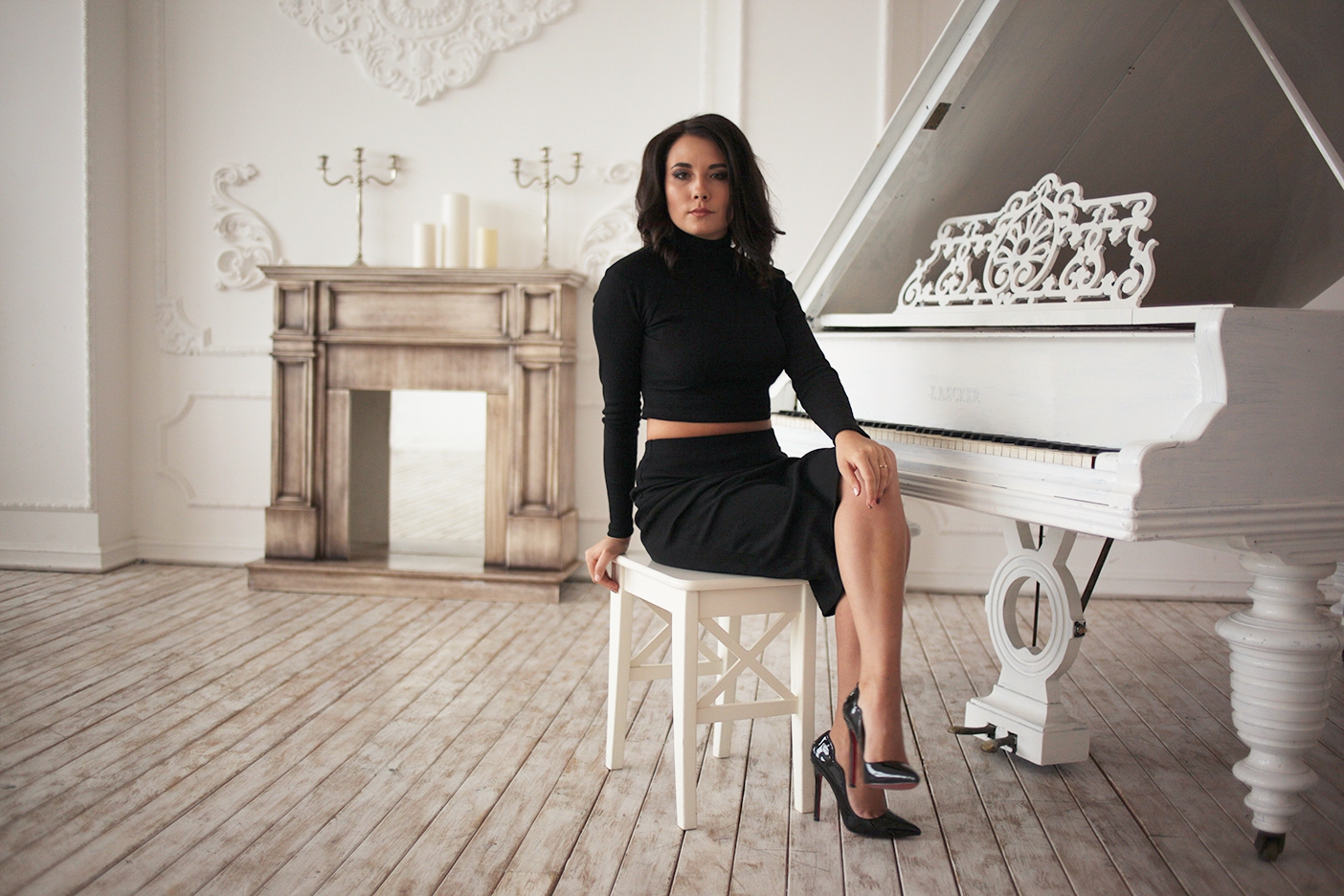
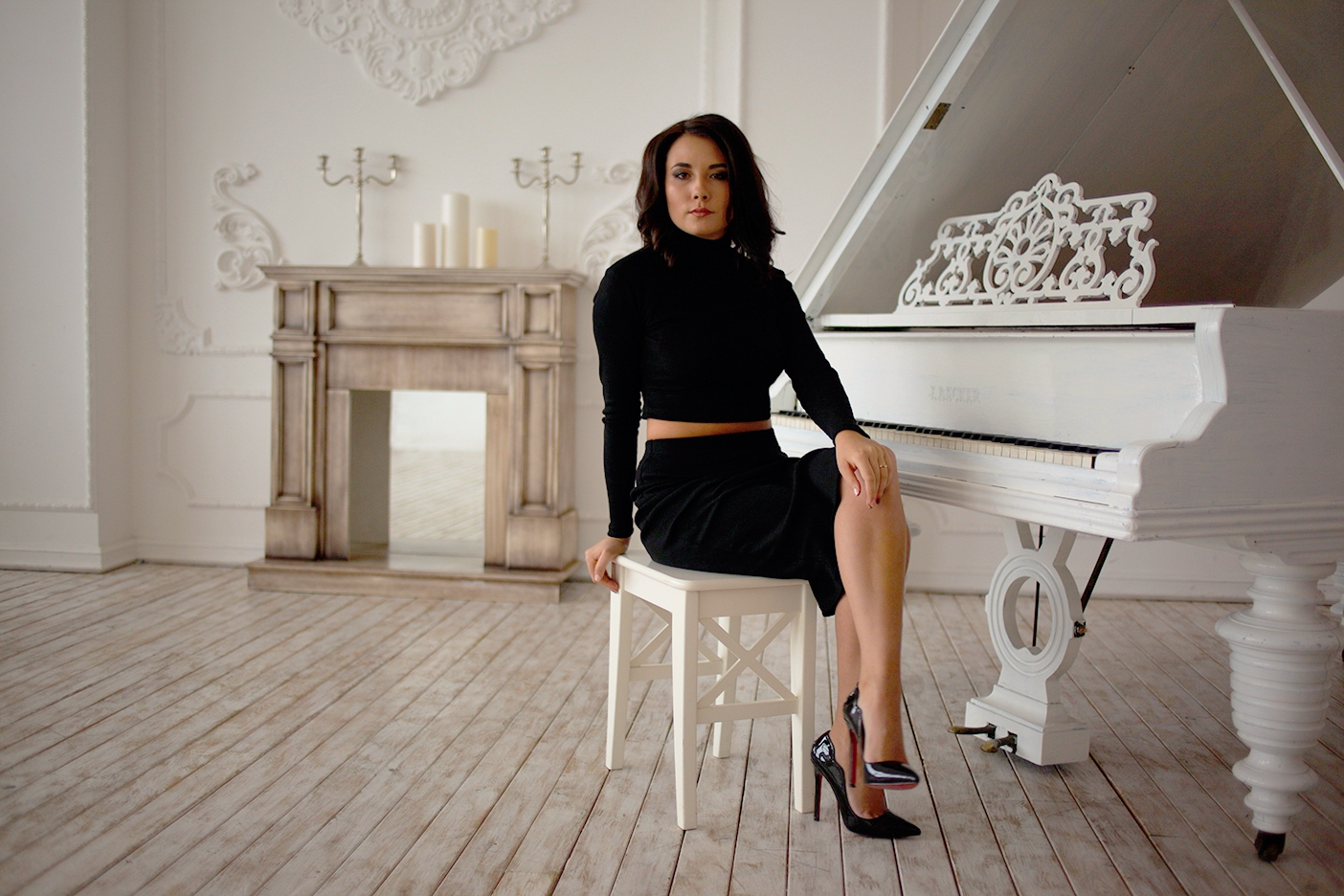
This example demonstrates the new AI Color Correction mode in three variants: Exposure only, Exposure & WB, and Full.
How it works: this example sends a single Color Correction task in professional mode with Layer: 0, so the predicted correction is applied directly to the output image.
Exposure only JSON: predicts exposure correction only.
{
  "mode": "professional",
  "tasks": [
    {
      "Plugin": "Color Correction",
      "Layer": 0,
      "User Params": {
        "AI": {
          "Color Correction Mode": "Exposure only"
        },
        "Basic": {
          "Enable Basic": true
        }
      }
    }
  ]
}
Exposure + WB JSON: predicts exposure plus white-balance adjustment.
{
  "mode": "professional",
  "tasks": [
    {
      "Plugin": "Color Correction",
      "Layer": 0,
      "User Params": {
        "AI": {
          "Color Correction Mode": "Exposure & WB"
        },
        "Basic": {
          "Enable Basic": true
        }
      }
    }
  ]
}
Full JSON: predicts the complete AI color-correction set.
{
  "mode": "professional",
  "tasks": [
    {
      "Plugin": "Color Correction",
      "Layer": 0,
      "User Params": {
        "AI": {
          "Color Correction Mode": "Full"
        },
        "Basic": {
          "Enable Basic": true
        }
      }
    }
  ]
}
Example 3 - Face Lifting and Glasses Anti Glare
This example demonstrates a flattened face-aware workflow that runs Face Detection, then applies Heal, Dust for fine particles on dark clothing, Face Lifting with beauty lifting, masculinity, and double chin correction, and finally applies Glasses Anti Glare in non-layered mode. Compare the black T-shirt in the source and result images: the small visible dust specks are cleaned in the flattened output.
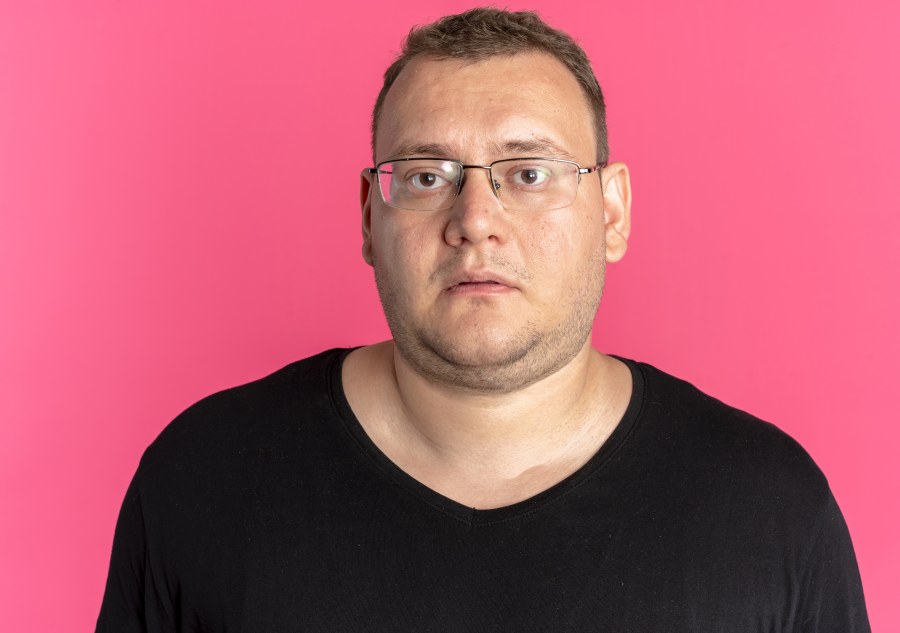
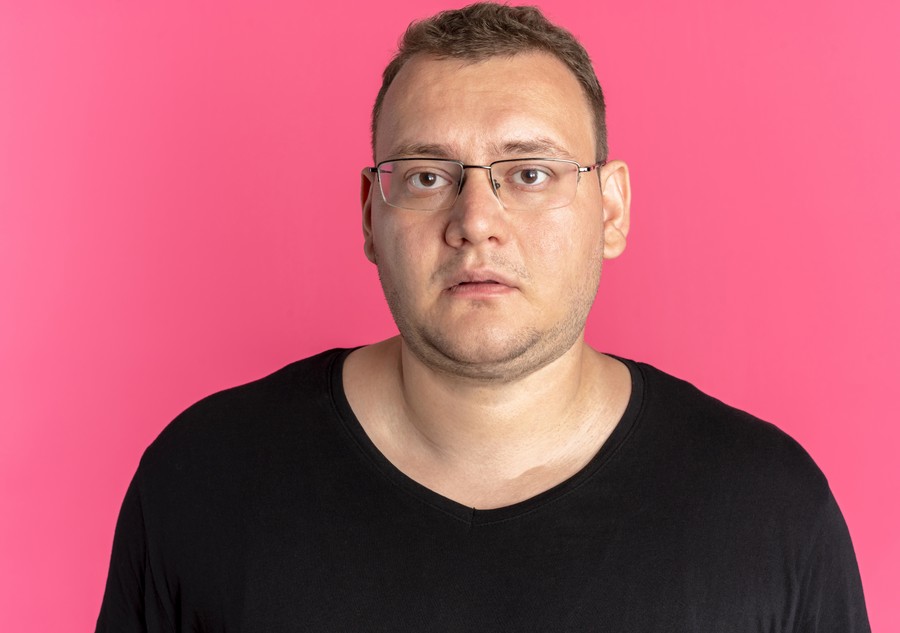
JSON payload: Face Detection provides face metadata for the face-aware plugins. Dust is included as a flattened cleanup step with Scale: 3 for the finest/smallest dust particles. For non-layered retouching, Layer can be omitted entirely, so the final output is a flattened JPEG.
{
  "mode": "professional",
  "outputFormat": "jpeg",
  "tasks": [
    {
      "Plugin": "Face Detection"
    },
    {
      "Plugin": "Heal",
      "Scale": 0,
      "Alpha1": 1.0
    },
    {
      "Plugin": "Dust",
      "Scale": 3,
      "Alpha1": 1.0
    },
    {
      "Plugin": "Face Lifting",
      "face_lifting_version": 3,
      "Face Lifting": 1.0,
      "Face Masculinity": 0.55,
      "Double Chin Correction": 1.0,
      "Face Lifting Depth": 0.6,
      "Flow Smoothing": 0.1
    },
    {
      "Plugin": "Glasses Anti Glare",
      "LayoutMode": "full",
      "Glasses Glare Removal": 1.0
    }
  ]
}
Notes: Face Detection should run first so the later plugins can reuse the detected face metadata. Heal and Dust are applied before face shaping to clean small distractions first; in this sample, Dust targets the small white specks on the black T-shirt. face_lifting_version: 3 enables beauty lifting plus double chin correction in the same flattened pass, the masculinity value is raised in this preset, and Double Chin Correction is set to 1.0.
Example 4 - Retouching with Layers
This example sends a layered task and receives a ZIP archive with separate PNG layers that can be composited in an editor.
Note: Mattifier and Clean Backdrop are not included in this layered example.
Payload JSON: layered retouching task definition.
Note: Dodge Burn uses Scale: 2 in this example for more detailed work.
{
  "mode": "professional",
  "tasks": [
    {"Plugin": "Skin Mask", "Scale": 0, "Alpha1": 1.0, "Layer": 1},
    {"Plugin": "Heal", "Scale": 0, "Alpha1": 1.0, "Layer": 1},
    {"Plugin": "Fabric", "Scale": 0, "Alpha1": 0.39, "Layer": 1},
    {"Plugin": "Eye Vessels", "Scale": 0, "Alpha1": 1.0, "Layer": 1},
    {"Plugin": "Eye Brilliance", "Scale": 0, "Alpha1": 0.5, "Layer": 1},
    {"Plugin": "White Teeth", "Scale": 0, "Alpha1": 0.25, "Alpha2": 0.25, "Layer": 1},
    {"Plugin": "Dodge Burn", "Scale": 2, "Alpha1": 1.0, "Alpha2": 0.2, "Layer": 1},
    {"Plugin": "Skin Tone", "Scale": 0, "Alpha1": 1.0, "Alpha2": 1.0, "Layer": 1},
    {"Plugin": "Portrait Volumes", "Scale": 0, "Alpha1": 0.5, "Layer": 1}
  ]
}
Start request: submit the source image, token, and layered payload with Layer: 1.
Baseline approach: submit the layered task, then poll /retoucher/status/{id} until the archive is ready.
Webhook option: the same optional hook form field can be used for layered jobs when you want a completion callback instead of polling only. Before using webhooks, send the list of webhook domains to relu@retouch4.me so they can be approved.
curl --location 'https://retoucher.hz.labs.retouch4.me/api/v1/retoucher/start' \
  --form 'file=@"DSC_6229_Sample.jpg"' \
  --form 'token="retoexampletokenvaluex83n4j2k9q7m5p1"' \
  --form-string 'payload={"mode":"professional","tasks":[{"Plugin":"Skin Mask","Scale":0,"Alpha1":1.0,"Layer":1},{"Plugin":"Heal","Scale":0,"Alpha1":1.0,"Layer":1},{"Plugin":"Fabric","Scale":0,"Alpha1":0.39,"Layer":1},{"Plugin":"Eye Vessels","Scale":0,"Alpha1":1.0,"Layer":1},{"Plugin":"Eye Brilliance","Scale":0,"Alpha1":0.5,"Layer":1},{"Plugin":"White Teeth","Scale":0,"Alpha1":0.25,"Alpha2":0.25,"Layer":1},{"Plugin":"Dodge Burn","Scale":2,"Alpha1":1.0,"Alpha2":0.2,"Layer":1},{"Plugin":"Skin Tone","Scale":0,"Alpha1":1.0,"Alpha2":1.0,"Layer":1},{"Plugin":"Portrait Volumes","Scale":0,"Alpha1":0.5,"Layer":1}]}'
curl --location "https://retoucher.hz.labs.retouch4.me/api/v1/retoucher/start" --form "file=@DSC_6229_Sample.jpg" --form "token=retoexampletokenvaluex83n4j2k9q7m5p1" --form-string "payload={\"mode\":\"professional\",\"tasks\":[{\"Plugin\":\"Skin Mask\",\"Scale\":0,\"Alpha1\":1.0,\"Layer\":1},{\"Plugin\":\"Heal\",\"Scale\":0,\"Alpha1\":1.0,\"Layer\":1},{\"Plugin\":\"Fabric\",\"Scale\":0,\"Alpha1\":0.39,\"Layer\":1},{\"Plugin\":\"Eye Vessels\",\"Scale\":0,\"Alpha1\":1.0,\"Layer\":1},{\"Plugin\":\"Eye Brilliance\",\"Scale\":0,\"Alpha1\":0.5,\"Layer\":1},{\"Plugin\":\"White Teeth\",\"Scale\":0,\"Alpha1\":0.25,\"Alpha2\":0.25,\"Layer\":1},{\"Plugin\":\"Dodge Burn\",\"Scale\":2,\"Alpha1\":1.0,\"Alpha2\":0.2,\"Layer\":1},{\"Plugin\":\"Skin Tone\",\"Scale\":0,\"Alpha1\":1.0,\"Alpha2\":1.0,\"Layer\":1},{\"Plugin\":\"Portrait Volumes\",\"Scale\":0,\"Alpha1\":0.5,\"Layer\":1}]}"Start response: the API returns a task id for the layered archive job.
{
  "status": 200,
  "id": "layers-example-job-id",
  "retouchQuota": 999
}
Check Processing State
Status request: poll the layered task until the archive is ready.
curl --location 'https://retoucher.hz.labs.retouch4.me/api/v1/retoucher/status/layers-example-job-id'Status response: real completed layered-job example.
{
  "status": 200,
  "state": "completed",
  "progress": 100,
  "reason": "",
  "attempt": 1,
  "currentStep": "uploading",
  "maxAttempts": 3,
  "pluginName": "",
  "expireDate": "2026-03-18T21:29:19.055Z"
}
Download Result File
Download request: fetch the finished ZIP archive by task id.
curl --location 'https://retoucher.hz.labs.retouch4.me/api/v1/retoucher/getFile/layers-example-job-id' \
  --output DSC_6229_Cloud_Retouch_Layers.zip
curl --location "https://retoucher.hz.labs.retouch4.me/api/v1/retoucher/getFile/layers-example-job-id" --output DSC_6229_Cloud_Retouch_Layers.zipLayer Previews
The layered archive contains separate PNG files that can be composited in Photoshop or another editor. Use the blend mode from the file name when applicable.
Skin Mask
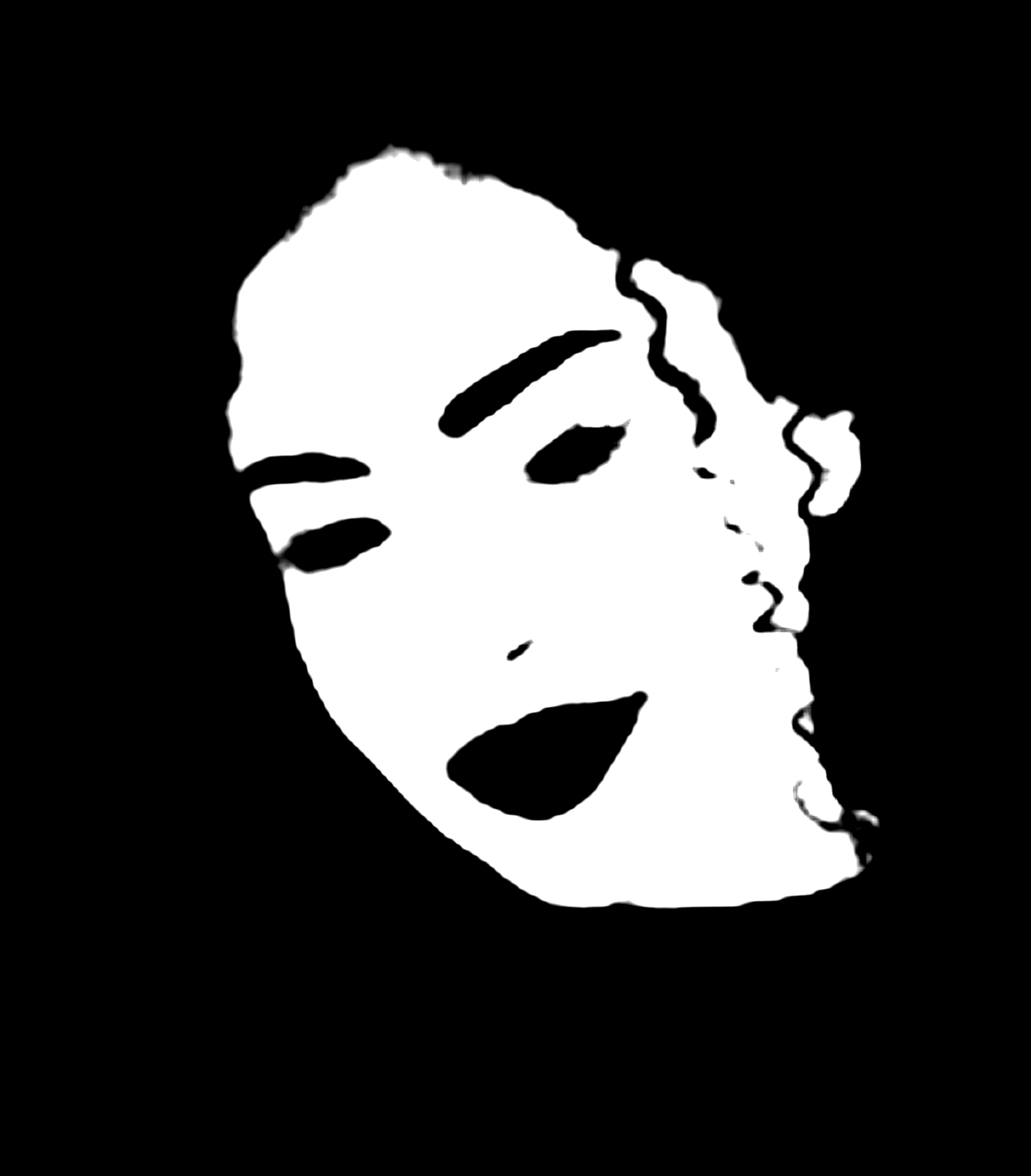
Use this mask as a selection helper to confine color and texture work to skin areas.
Heal
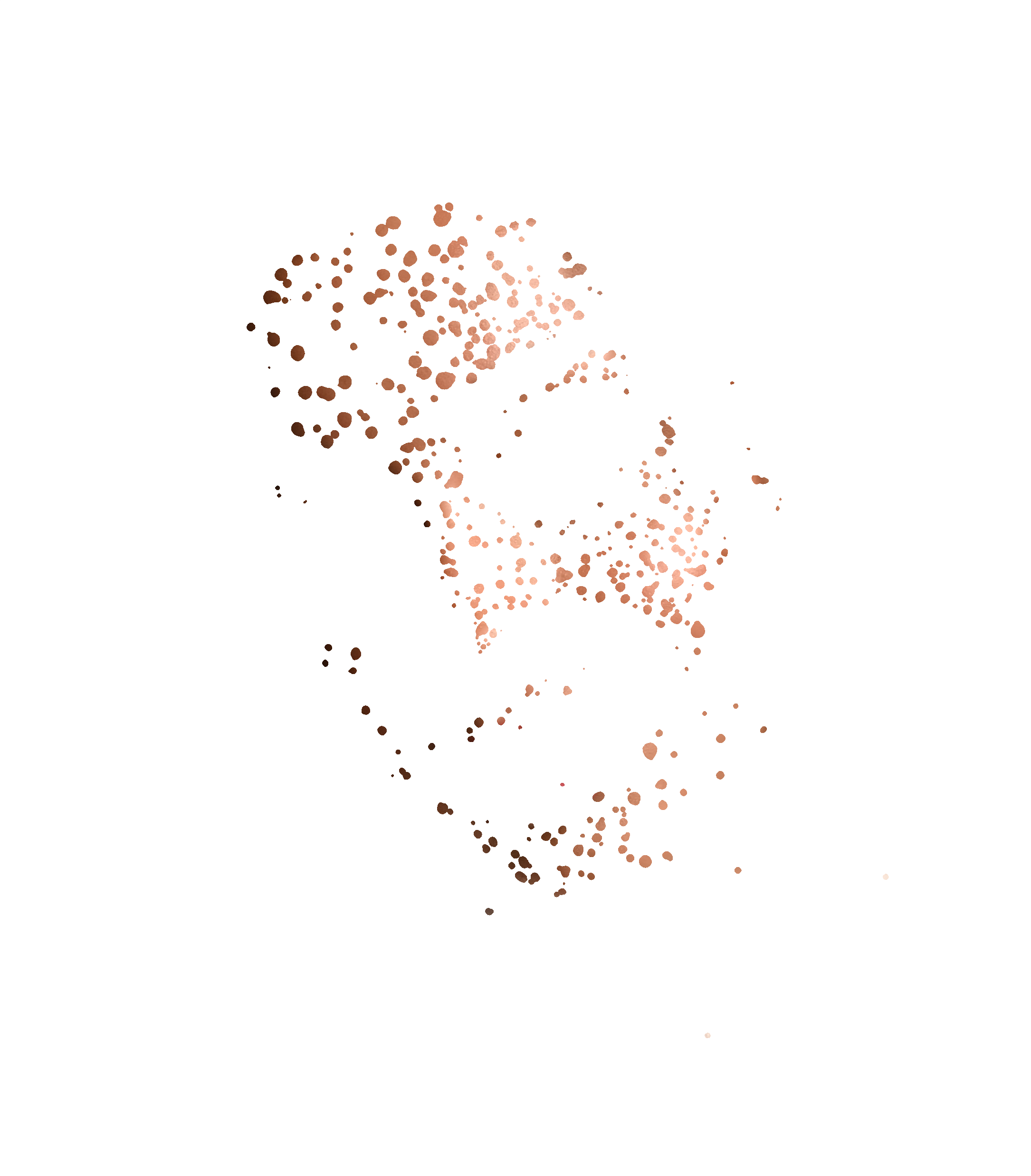
Use this normal layer for blemish cleanup and removal of small skin distractions.
Fabric
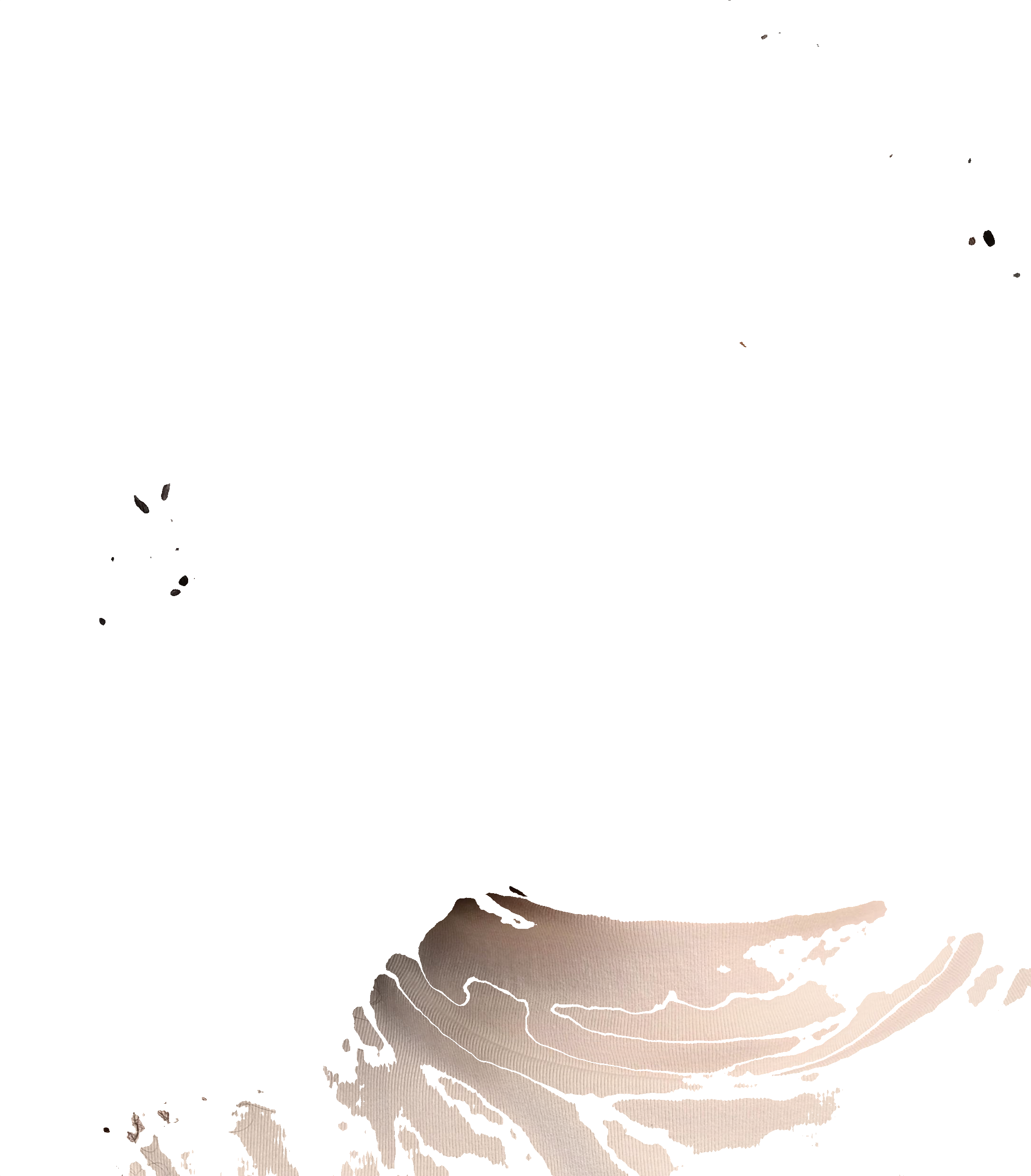
Use this normal layer to soften wrinkles and clean texture on clothing and fabric details.
Eye Vessels
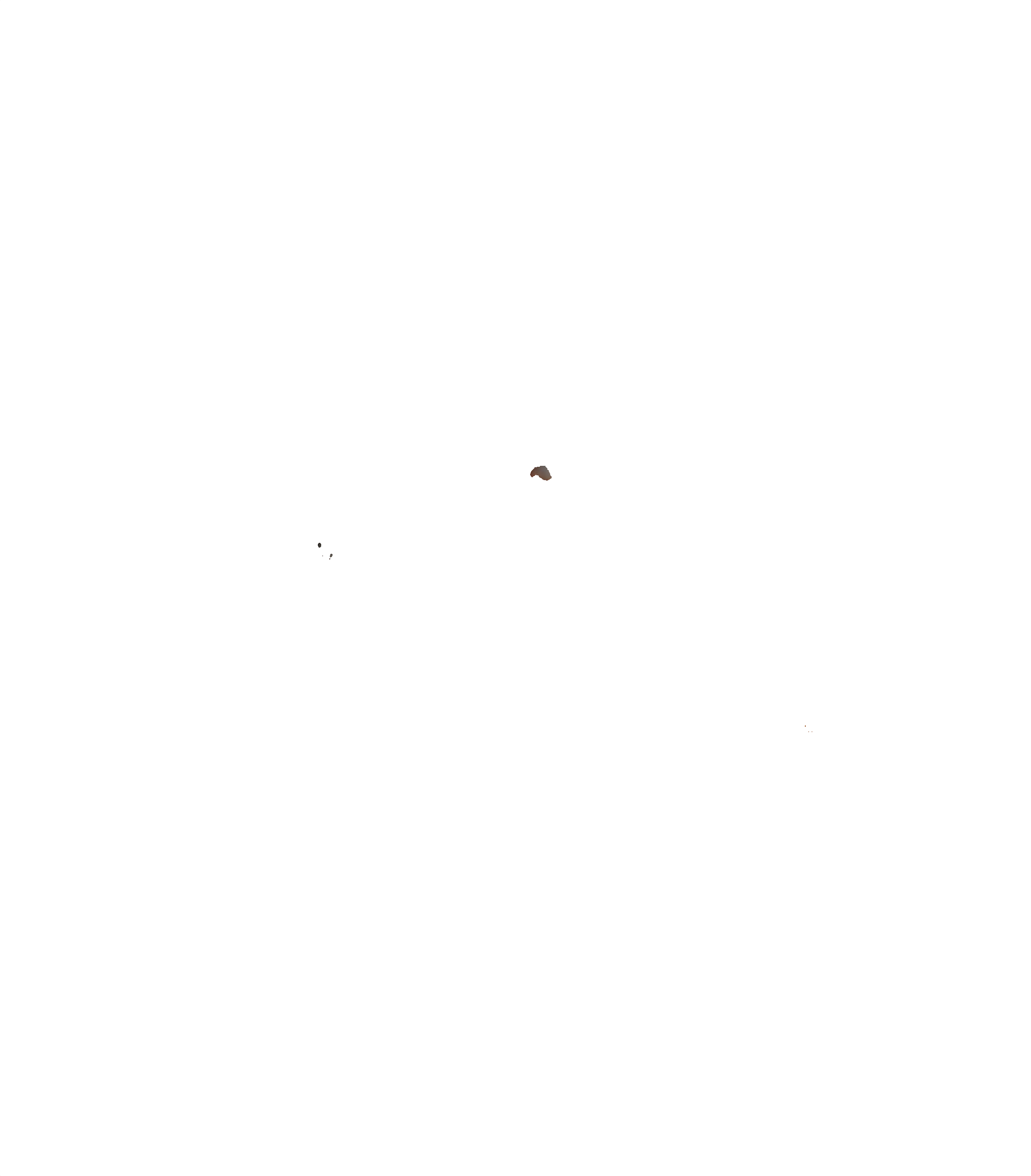
Use this normal layer to reduce visible veins and redness in the whites of the eyes.
Eye Brilliance
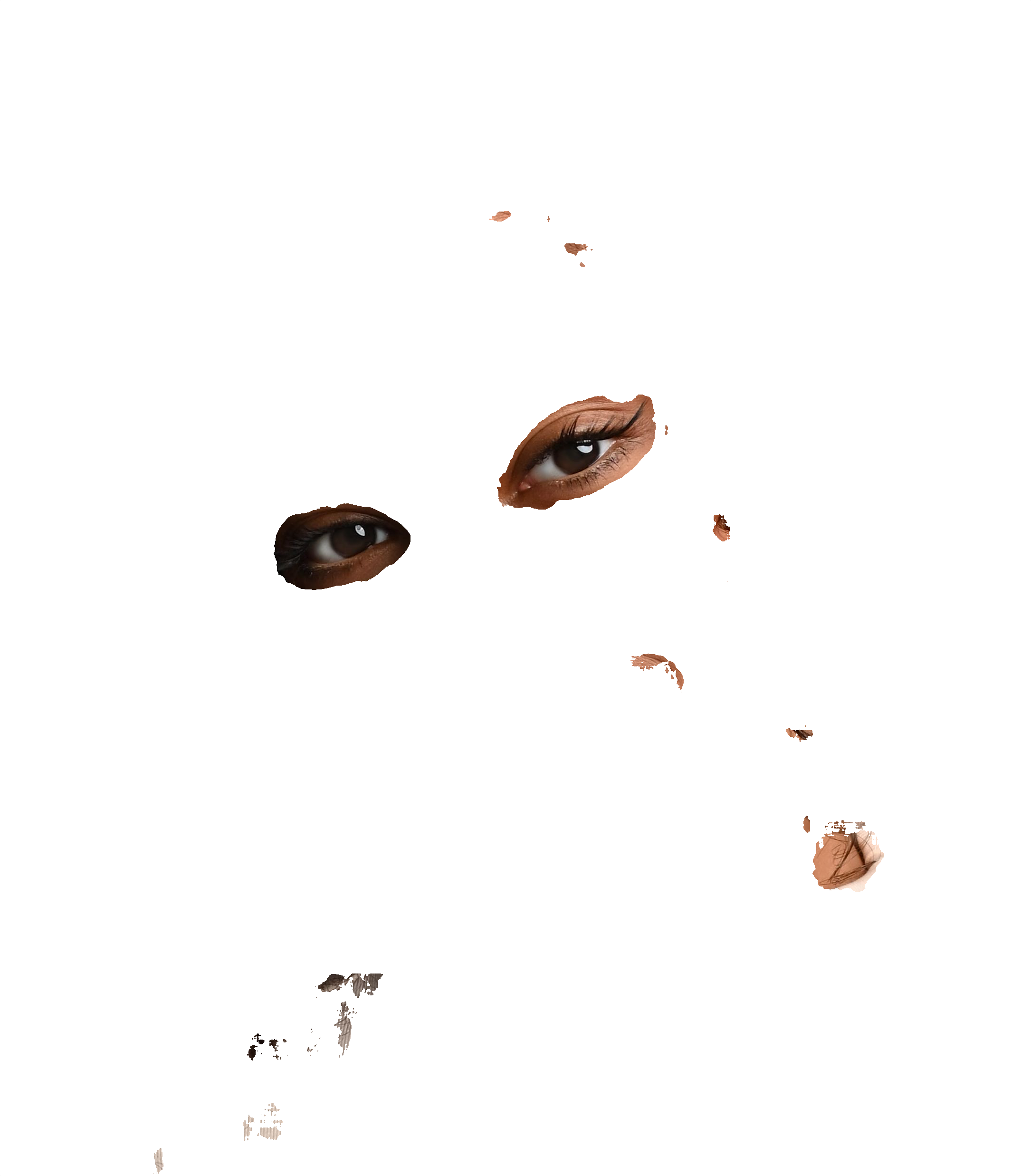
Use this normal layer to enhance iris detail and add subtle brightness to the eyes.
White Teeth
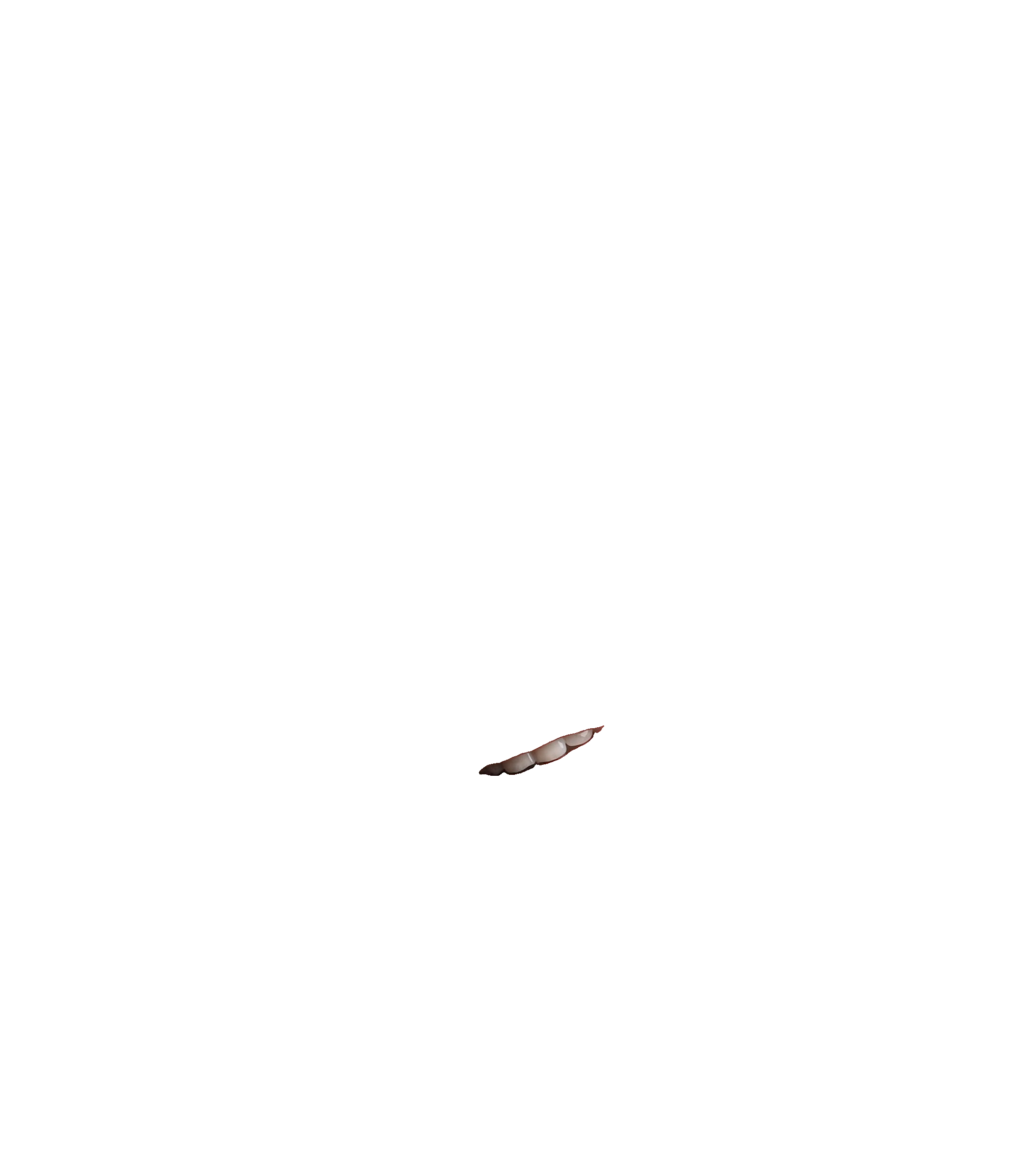
Use this normal layer to whiten and slightly brighten teeth while keeping the effect adjustable.
Dodge Burn
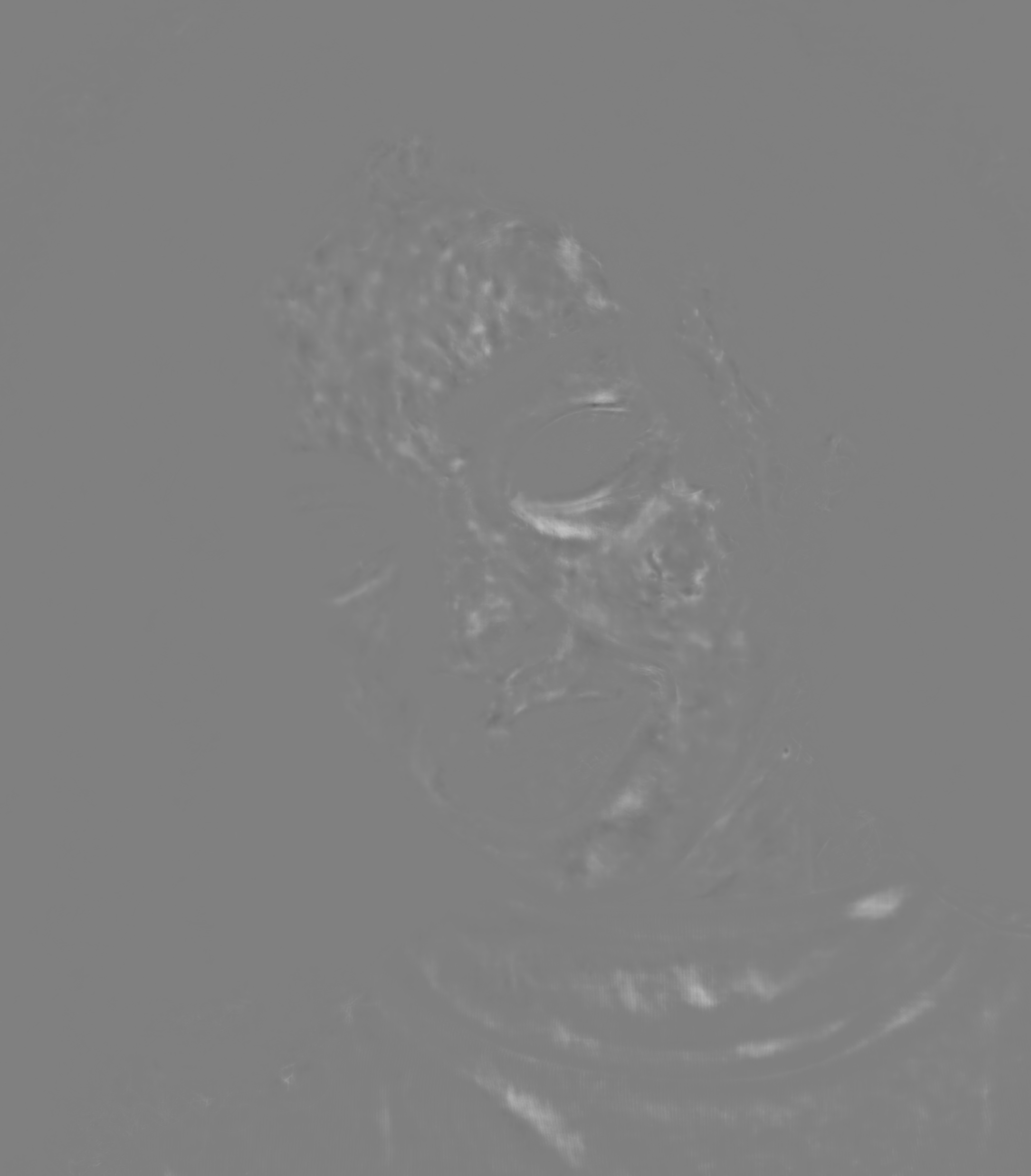
Use this soft-light layer for local light and shadow shaping on skin and facial features.
Skin Tone
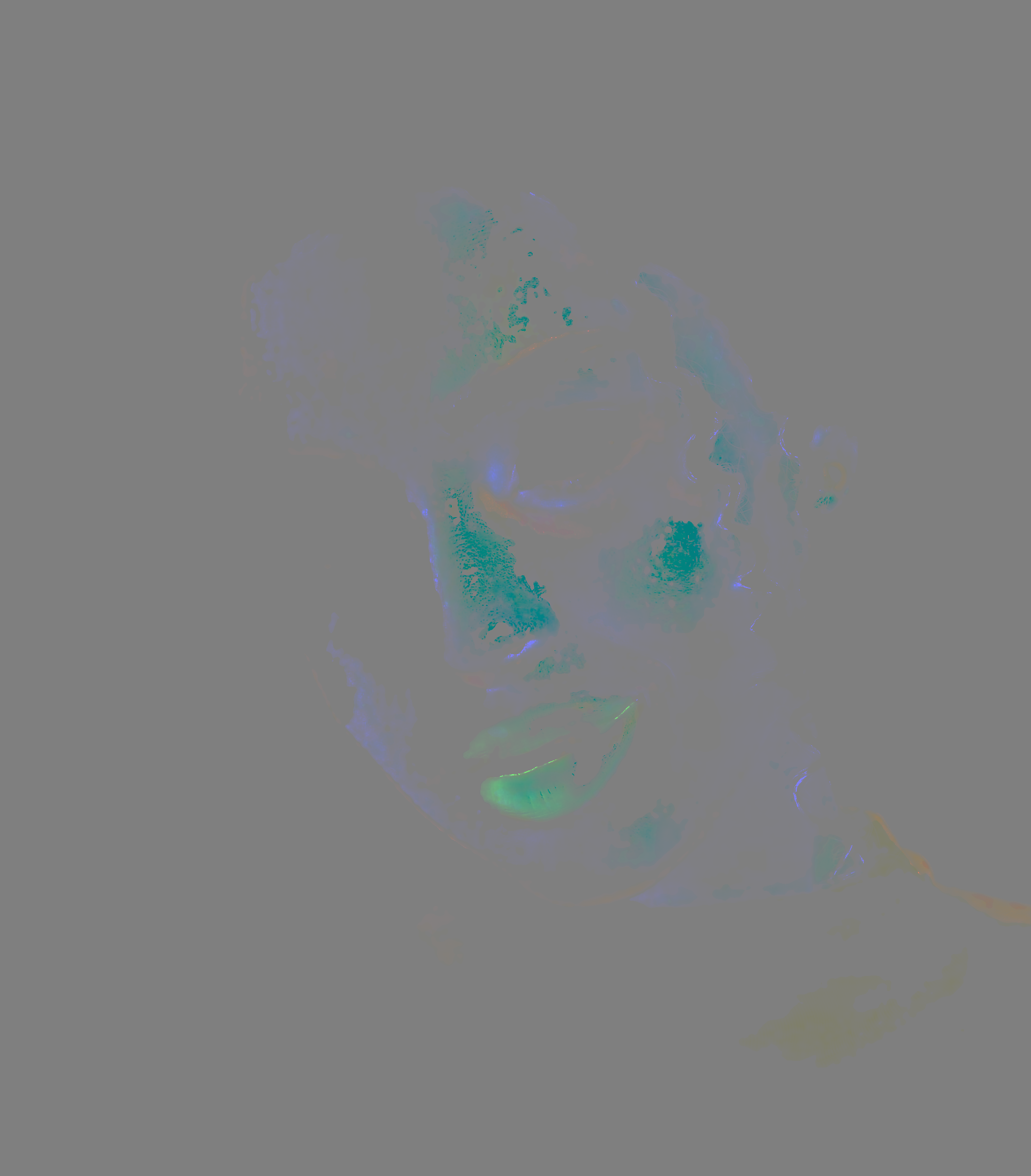
Use this soft-light layer to unify skin color and reduce uneven tone transitions.
Portrait Volumes
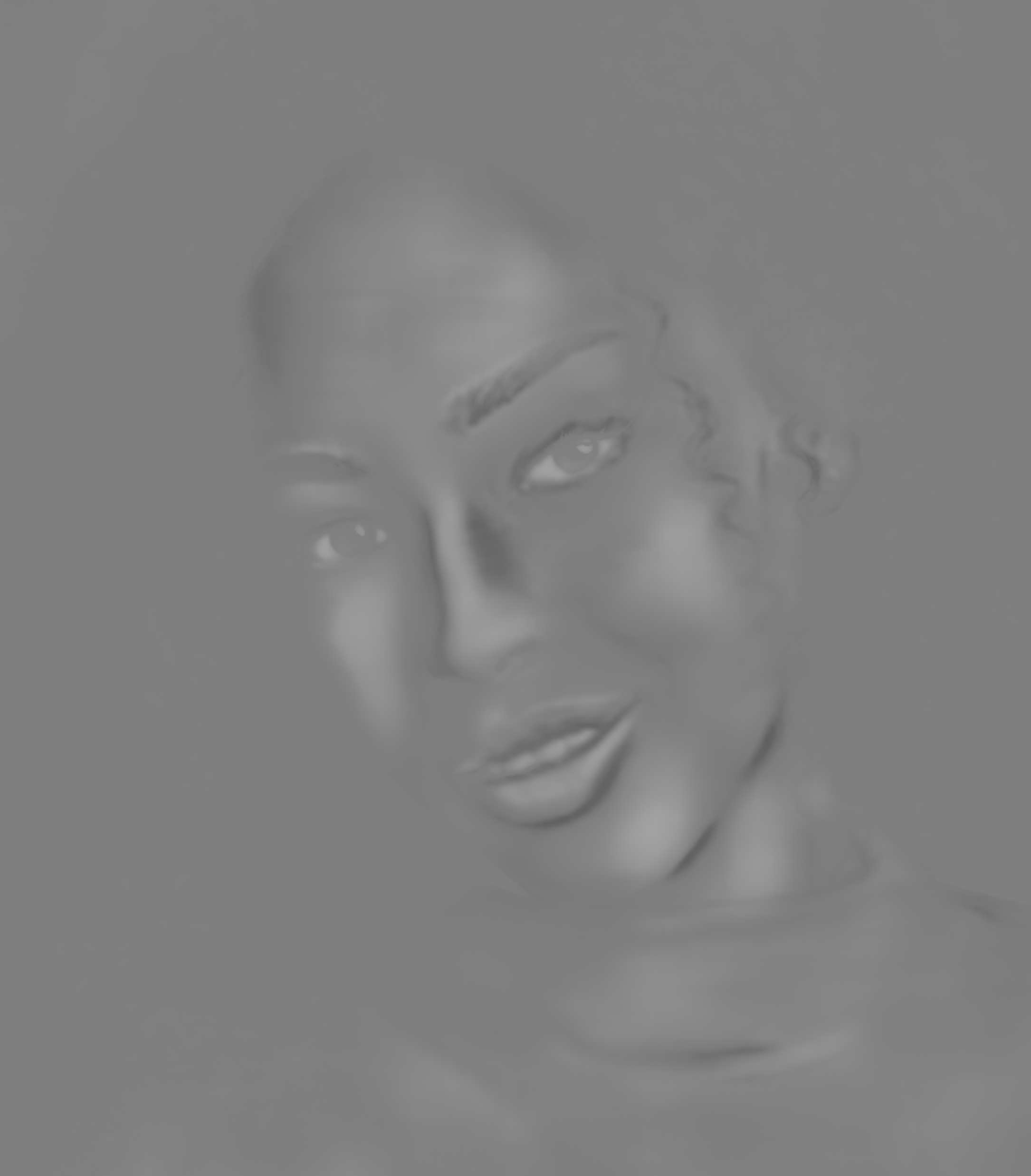
Use this soft-light layer to emphasize shape and volume in the face and portrait contours.
Example 5 - Heal + Glasses Anti Glare Layers (Full Layout)
This example keeps the output in ZIP form and returns separate layers for Heal and Glasses Anti Glare. The glasses plugin uses LayoutMode: "full", so the glare correction is returned as a full-size overlay layer.

JSON payload: this keeps Heal and Glasses Anti Glare as layers, while Face Detection only supplies metadata for glare placement.
{
  "mode": "professional",
  "outputFormat": "zip",
  "tasks": [
    {
      "Plugin": "Face Detection"
    },
    {
      "Plugin": "Heal",
      "Scale": 0,
      "Layer": 1,
      "Alpha1": 1.0
    },
    {
      "Plugin": "Glasses Anti Glare",
      "Layer": 1,
      "LayoutMode": "full",
      "Glasses Glare Removal": 1.0
    }
  ]
}
Explanation: LayoutMode: "full" returns a full-frame linear-light overlay, which is convenient when you want to composite the glasses correction directly over the full image in an editor.
Example 6 - Heal + Face Lifting + Glasses Anti Glare Layers (Patch Layout)
This example returns a layered ZIP with Heal, Face Lifting, and Glasses Anti Glare in patch mode. Patch mode packs cropped glasses patches into a dedicated layer and writes placement metadata into result.json.
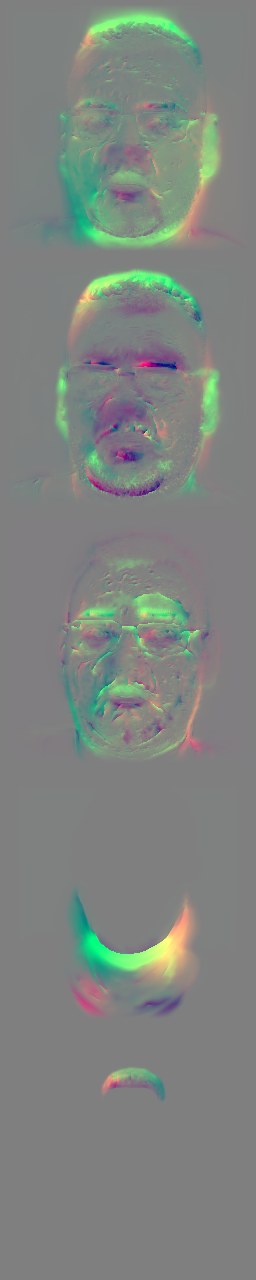
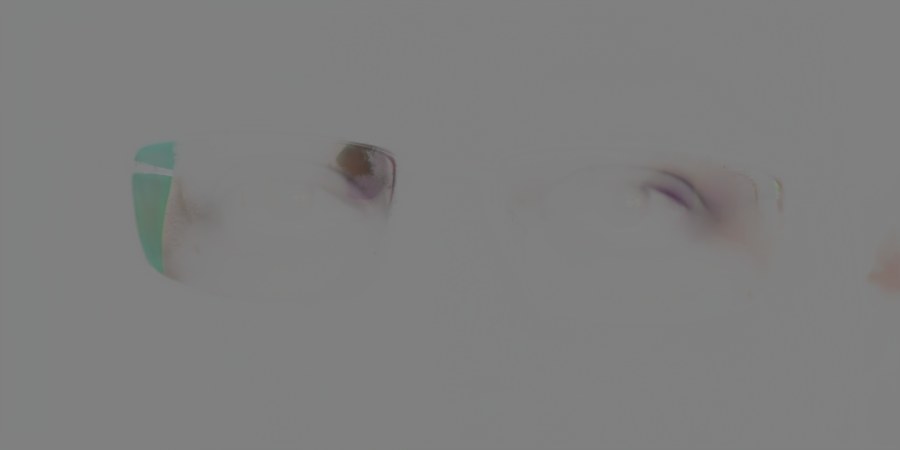
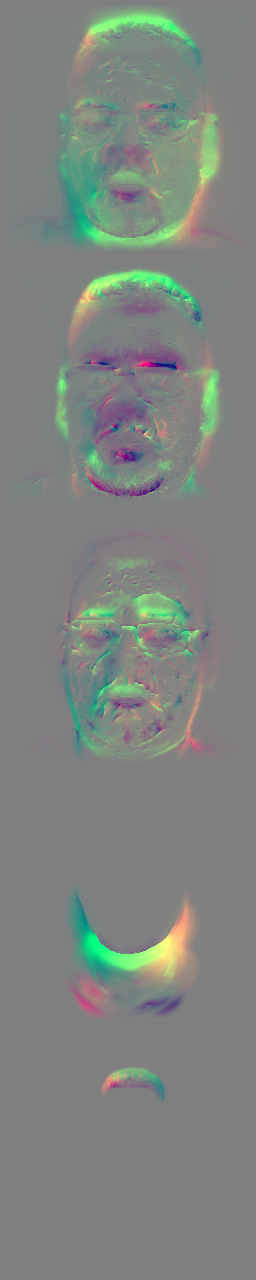
JSON payload: this combines healing, face-shaping flows, and patch-based glasses correction in one layered archive. In this layered example, the Face Lifting depth values do not change the returned Face Lifting layer itself; they affect the intermediate image geometry before the following Glasses Anti Glare task is generated.
{
  "mode": "professional",
  "outputFormat": "zip",
  "tasks": [
    {
      "Plugin": "Face Detection"
    },
    {
      "Plugin": "Heal",
      "Scale": 0,
      "Layer": 1,
      "Alpha1": 1.0
    },
    {
      "Plugin": "Face Lifting",
      "Layer": 1,
      "face_lifting_version": 3,
      "Face Lifting": 1.0,
      "Face Masculinity": 0.55,
      "Double Chin Correction": 1.0,
      "Face Lifting Depth": 0.6,
      "Flow Smoothing": 0.1
    },
    {
      "Plugin": "Glasses Anti Glare",
      "Layer": 1,
      "LayoutMode": "patch",
      "Glasses Glare Removal": 1.0
    }
  ]
}
Full result.json: the patch-mode ZIP contains face metadata, face-lifting flow metadata, and patch placement data for the glasses layer. The full JSON is collapsed by default to keep this example readable.
{
    "jsonVersion": "1",
    "plugins": [
        {
            "metadata": {
                "faces": [
                    {
                        "confidence": 0.8743641972541809,
                        "faceAge": 42.75107955932617,
                        "faceGenderFemale": -5.119027614593506,
                        "faceGenderMale": 5.1189422607421875,
                        "faceGlasses": 0.9999644756317139,
                        "landmarks": [
                            {
                                "x": 0.40930742025375366,
                                "y": 0.2873525619506836
                            },
                            {
                                "x": 0.6650311350822449,
                                "y": 0.26288726925849915
                            },
                            {
                                "x": 0.5250742435455322,
                                "y": 0.3583020269870758
                            },
                            {
                                "x": 0.47323837876319885,
                                "y": 0.28001296520233154
                            },
                            {
                                "x": 0.5855494737625122,
                                "y": 0.2726733684539795
                            },
                            {
                                "x": 0.5319857001304626,
                                "y": 0.42925146222114563
                            },
                            {
                                "x": 0.4922448694705963,
                                "y": 0.4537167251110077
                            },
                            {
                                "x": 0.576910138130188,
                                "y": 0.4537167251110077
                            },
                            {
                                "x": 0.5339804887771606,
                                "y": 0.5705606341362
                            },
                            {
                                "x": 0.526802122592926,
                                "y": 0.23108233511447906
                            }
                        ],
                        "x1": 0.40239596366882324,
                        "x2": 0.6788541078567505,
                        "y1": 0.14056065678596497,
                        "y2": 0.532005786895752
                    }
                ]
            },
            "operationIndex": 0,
            "pluginName": "Face Detection"
        },
        {
            "blendingMode": "flow",
            "faceLiftingVersion": 3,
            "faces": [
                {
                    "flowCount": 5,
                    "flowMatrices": [
                        [
                            [
                                0.07068472693522765,
                                -0.0032485662850469444,
                                -149.46063588281874
                            ],
                            [
                                0.0032485662850469444,
                                0.07068472693522765,
                                3.425175583687846
                            ]
                        ],
                        [
                            [
                                0.07068472693522765,
                                -0.0032485662850469444,
                                -149.46063588281874
                            ],
                            [
                                0.0032485662850469444,
                                0.07068472693522765,
                                3.425175583687846
                            ]
                        ],
                        [
                            [
                                0.07068472693522765,
                                -0.0032485662850469444,
                                -149.46063588281874
                            ],
                            [
                                0.0032485662850469444,
                                0.07068472693522765,
                                3.425175583687846
                            ]
                        ],
                        [
                            [
                                0.0551668455589931,
                                -0.002535387237182931,
                                -88.54788399301302
                            ],
                            [
                                0.002535387237182931,
                                0.0551668455589931,
                                5.01761082652871
                            ]
                        ],
                        [
                            [
                                0.028644323655631035,
                                -0.001316451065460368,
                                15.561675619012476
                            ],
                            [
                                0.001316451065460368,
                                0.028644323655631035,
                                40.75914408300529
                            ]
                        ]
                    ]
                }
            ],
            "operationIndex": 2,
            "originalHeight": 5304,
            "originalWidth": 7542,
            "pluginName": "Face Lifting"
        },
        {
            "amount": 1.0,
            "blendingMode": "linearLight",
            "faces": [
                {
                    "glassesAntiGlarePatchMatrix": [
                        [
                            0.4455783679764828,
                            -0.02047812768493906,
                            -1237.0406014820285
                        ],
                        [
                            0.02047812768493906,
                            0.4455783679764828,
                            -516.8577587088067
                        ]
                    ],
                    "patchHeight": 512,
                    "patchWidth": 1024
                }
            ],
            "glassesAntiGlareVersion": 1,
            "layoutMode": "patch",
            "operationIndex": 3,
            "originalHeight": 5304,
            "originalWidth": 7542,
            "pluginName": "Glasses Anti Glare"
        }
    ]
}Explanation: in patch mode, the glasses layer is not a full-image overlay. Instead, it contains packed face patches, and glassesAntiGlarePatchMatrix tells you how to place each patch back into the original image. patchWidth and patchHeight describe the stored patch size. For Face Lifting, this example really returns flowCount: 5 with five matrices in flowMatrices; the excerpt now mirrors that count. Because Face Lifting runs before Glasses Anti Glare, its depth settings affect the image state used to produce the later glasses patch, even though the emitted Face Lifting layer remains the flow layer.
Python patch placement check: the following script reads the glasses patch and glassesAntiGlarePatchMatrix, expands the patch back to full image size, and saves two comparison JPEGs.
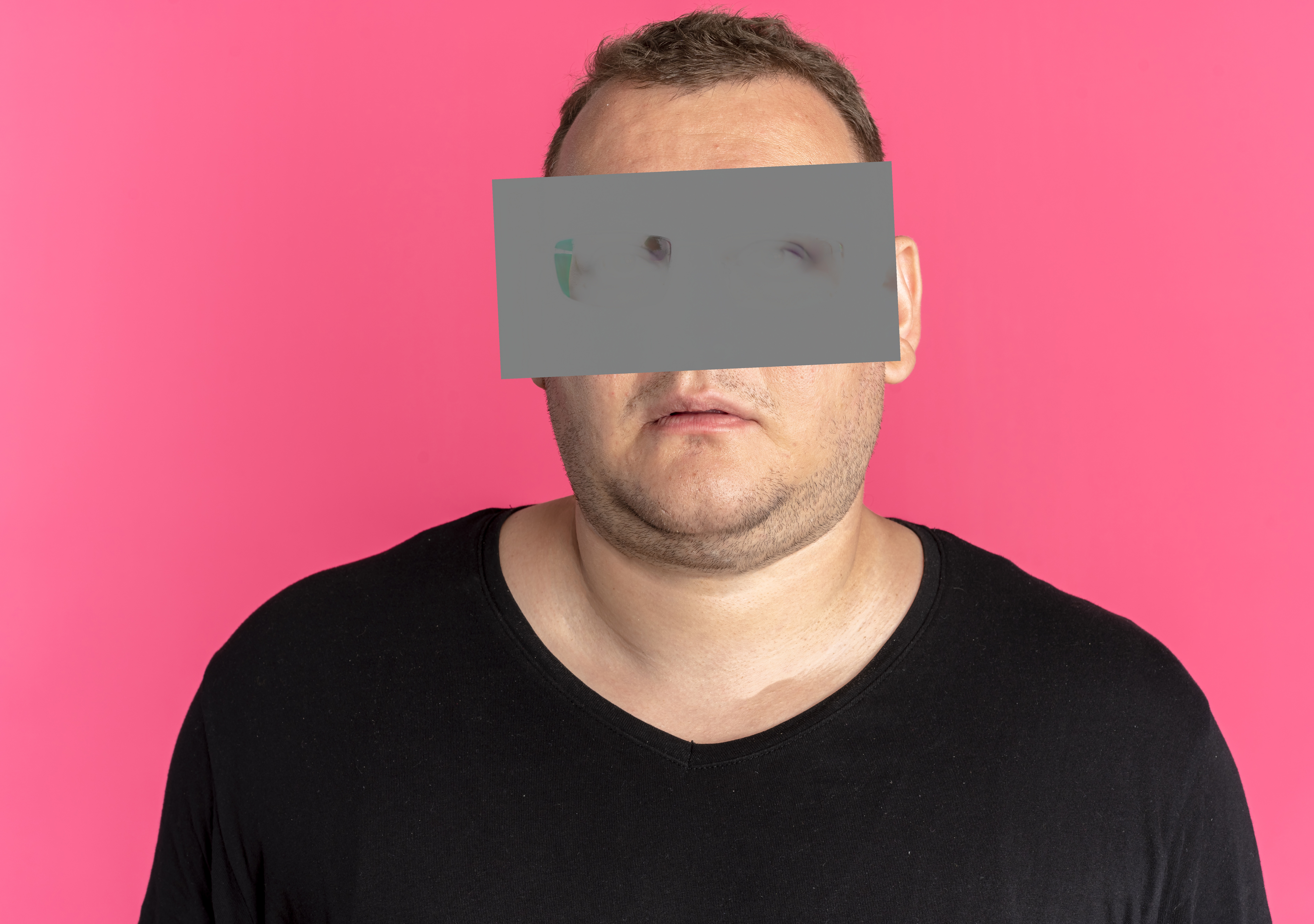
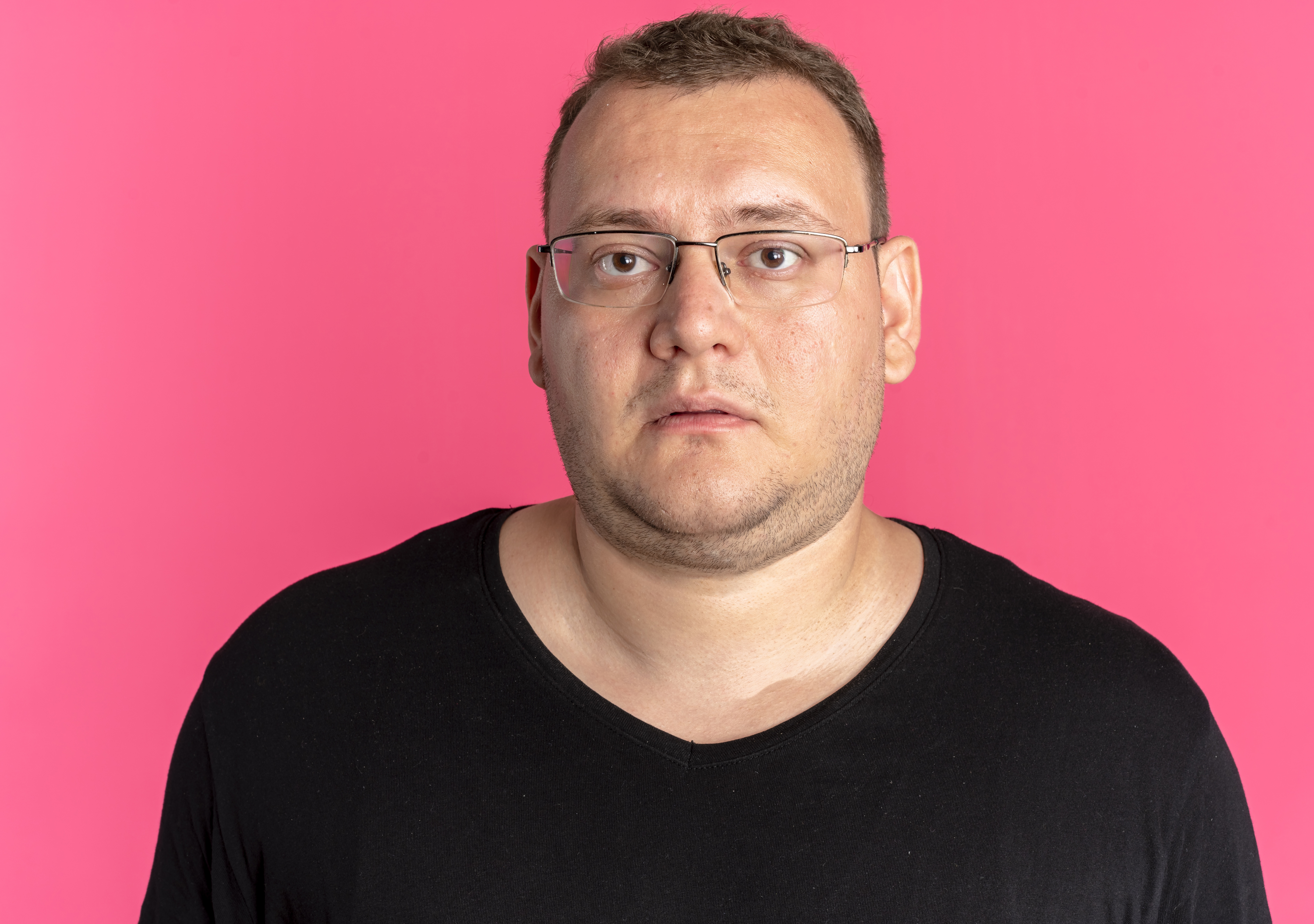
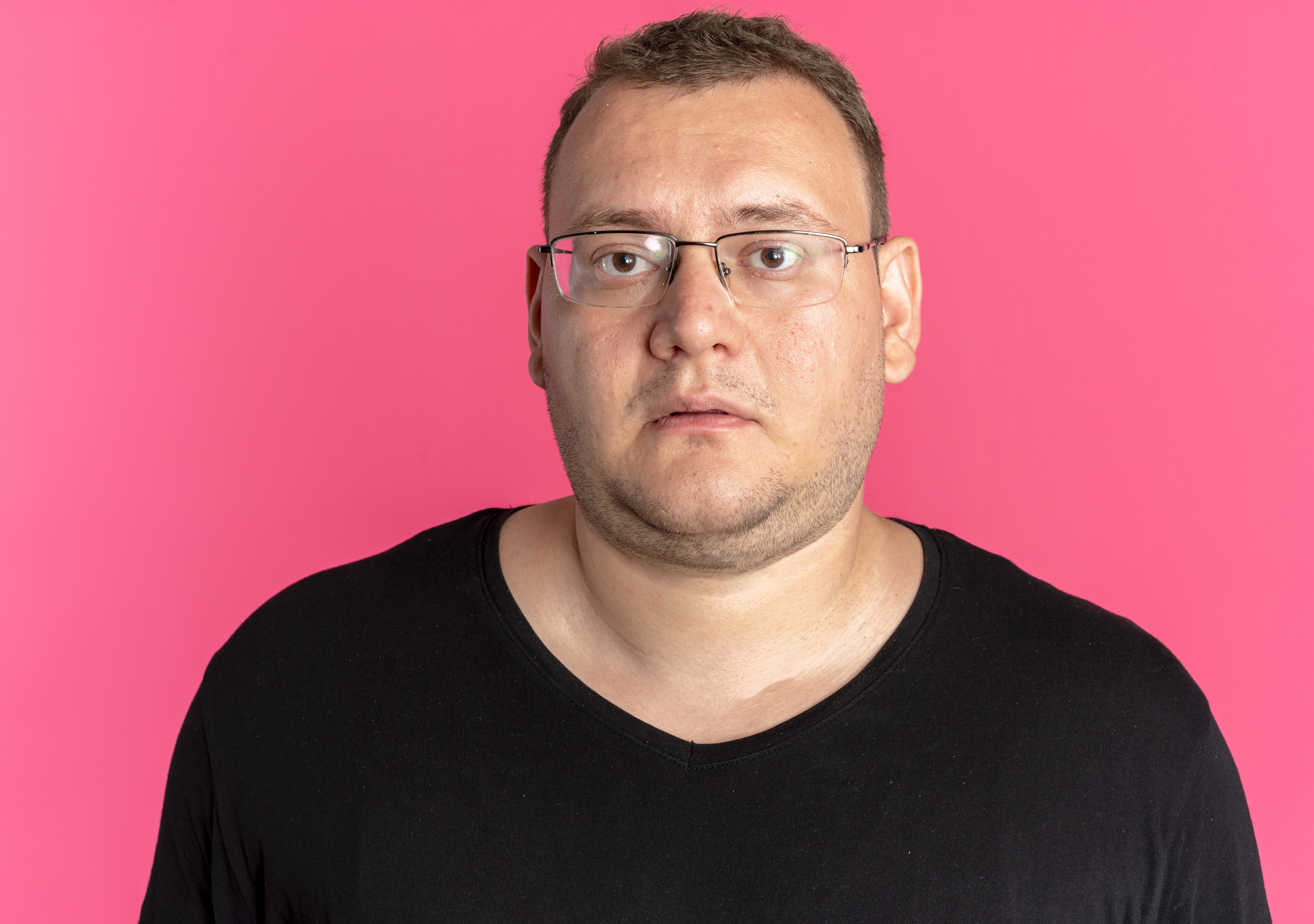
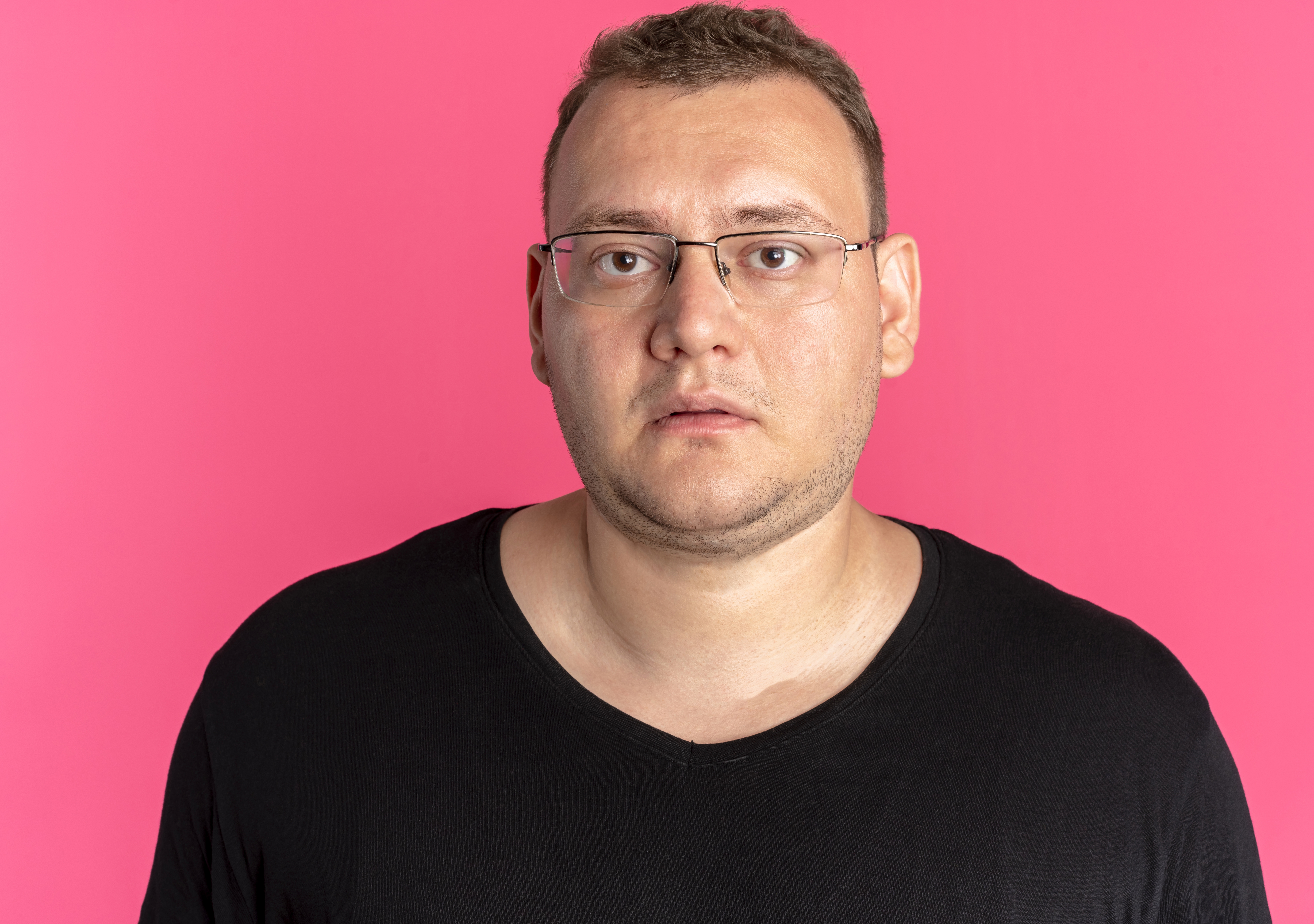
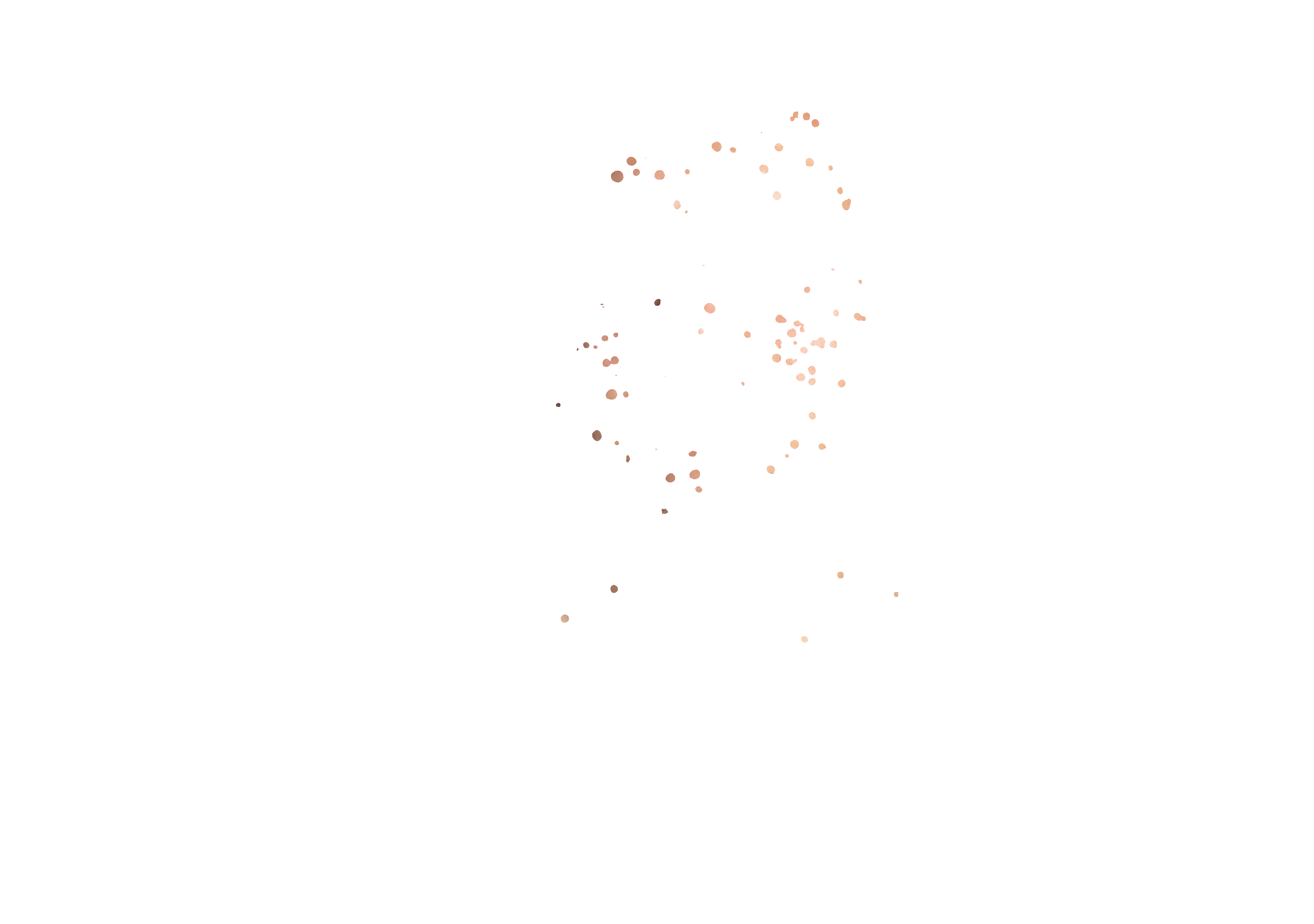
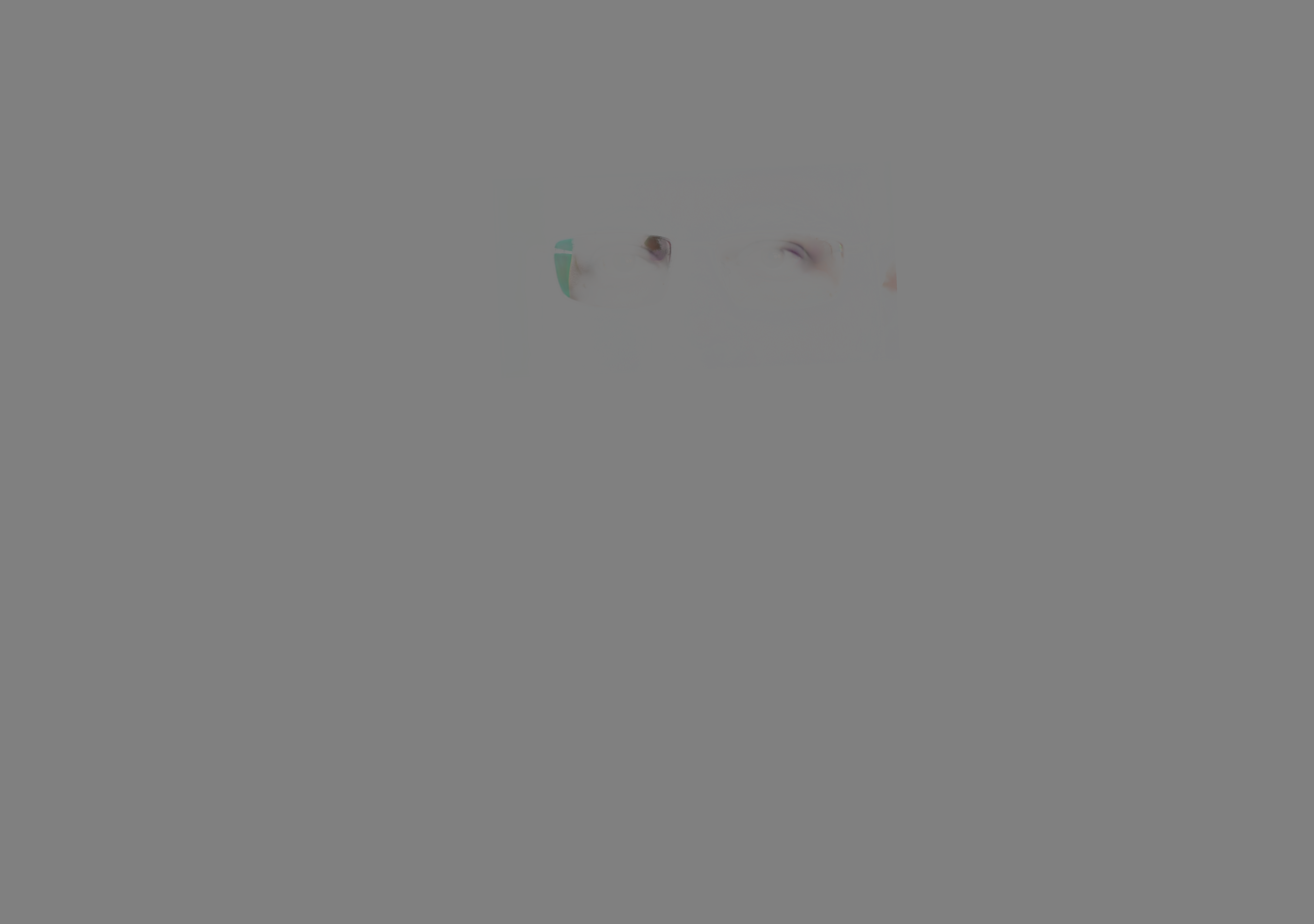
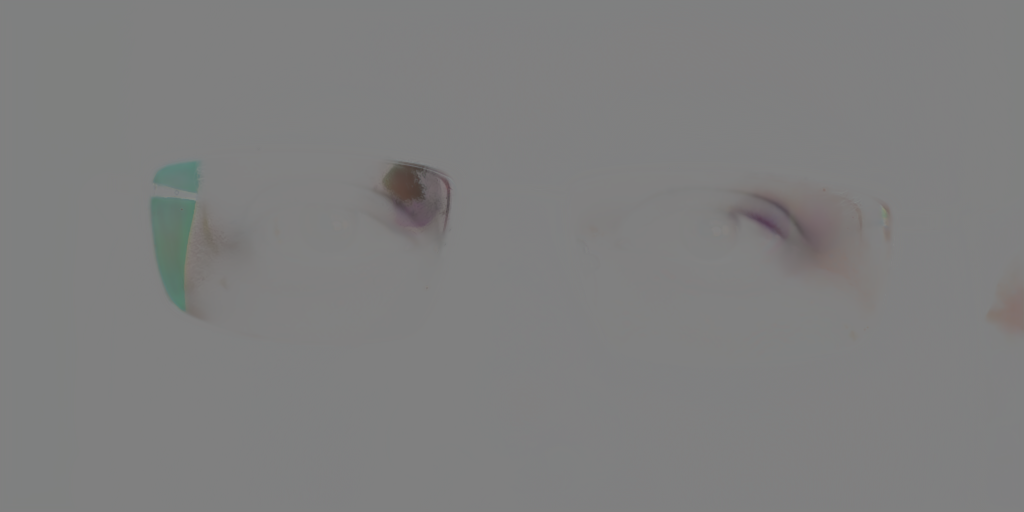
Blend mode note: the glasses patch file is named with blendmode=linearLight, so the Linear Light version is the intended compositing result. The Normal version is useful as a debugging view because it makes the transformed patch area obvious.
The runnable source file is available here: Download Python patch script.
from pathlib import Path
import json

import numpy as np
from PIL import Image


DOCS_DIR = Path(__file__).resolve().parents[1]
PHOTO_PATH = DOCS_DIR / "GlassesGlareAndLiftingExample.jpg"
PATCH_PATH = next((DOCS_DIR / "glasses_lifting_patch").glob("*Glasses Anti Glare*patch.png"))
JSON_PATH = DOCS_DIR / "glasses_lifting_patch" / "result.json"
NORMAL_OUTPUT_PATH = DOCS_DIR / "GlassesPatchAppliedNormal.jpg"
LINEAR_LIGHT_OUTPUT_PATH = DOCS_DIR / "GlassesPatchAppliedLinearLight.jpg"


def load_glasses_matrix(result_json_path):
    with result_json_path.open("r", encoding="utf-8") as file:
        data = json.load(file)

    for plugin in data["plugins"]:
        if plugin.get("pluginName") == "Glasses Anti Glare":
            return plugin["faces"][0]["glassesAntiGlarePatchMatrix"]

    raise RuntimeError("Glasses Anti Glare metadata was not found")


def linear_light_blend(base_rgb, overlay_rgba):
    base = np.asarray(base_rgb, dtype=np.float32)
    overlay = np.asarray(overlay_rgba, dtype=np.float32)
    overlay_rgb = overlay[..., :3]
    overlay_alpha = overlay[..., 3:4] / 255.0
    linear_light = np.clip(base + 2.0 * overlay_rgb - 255.0, 0.0, 255.0)
    blended = base * (1.0 - overlay_alpha) + linear_light * overlay_alpha
    return Image.fromarray(np.clip(blended, 0, 255).astype(np.uint8), "RGB")


def normal_blend(base_rgb, overlay_rgba):
    base = base_rgb.convert("RGBA")
    composited = Image.alpha_composite(base, overlay_rgba)
    return composited.convert("RGB")


photo = Image.open(PHOTO_PATH).convert("RGB")
patch = Image.open(PATCH_PATH).convert("RGBA")
matrix = load_glasses_matrix(JSON_PATH)

# PIL affine coefficients map output pixels to input pixels.
# The API matrix already maps original-photo coordinates to patch coordinates.
coeffs = (
    matrix[0][0], matrix[0][1], matrix[0][2],
    matrix[1][0], matrix[1][1], matrix[1][2],
)
full_size_overlay = patch.transform(
    photo.size,
    Image.Transform.AFFINE,
    coeffs,
    resample=Image.Resampling.BICUBIC,
    fillcolor=(0, 0, 0, 0),
)

normal_result = normal_blend(photo, full_size_overlay)
linear_light_result = linear_light_blend(photo, full_size_overlay)

normal_result.save(NORMAL_OUTPUT_PATH, quality=95)
linear_light_result.save(LINEAR_LIGHT_OUTPUT_PATH, quality=95)