

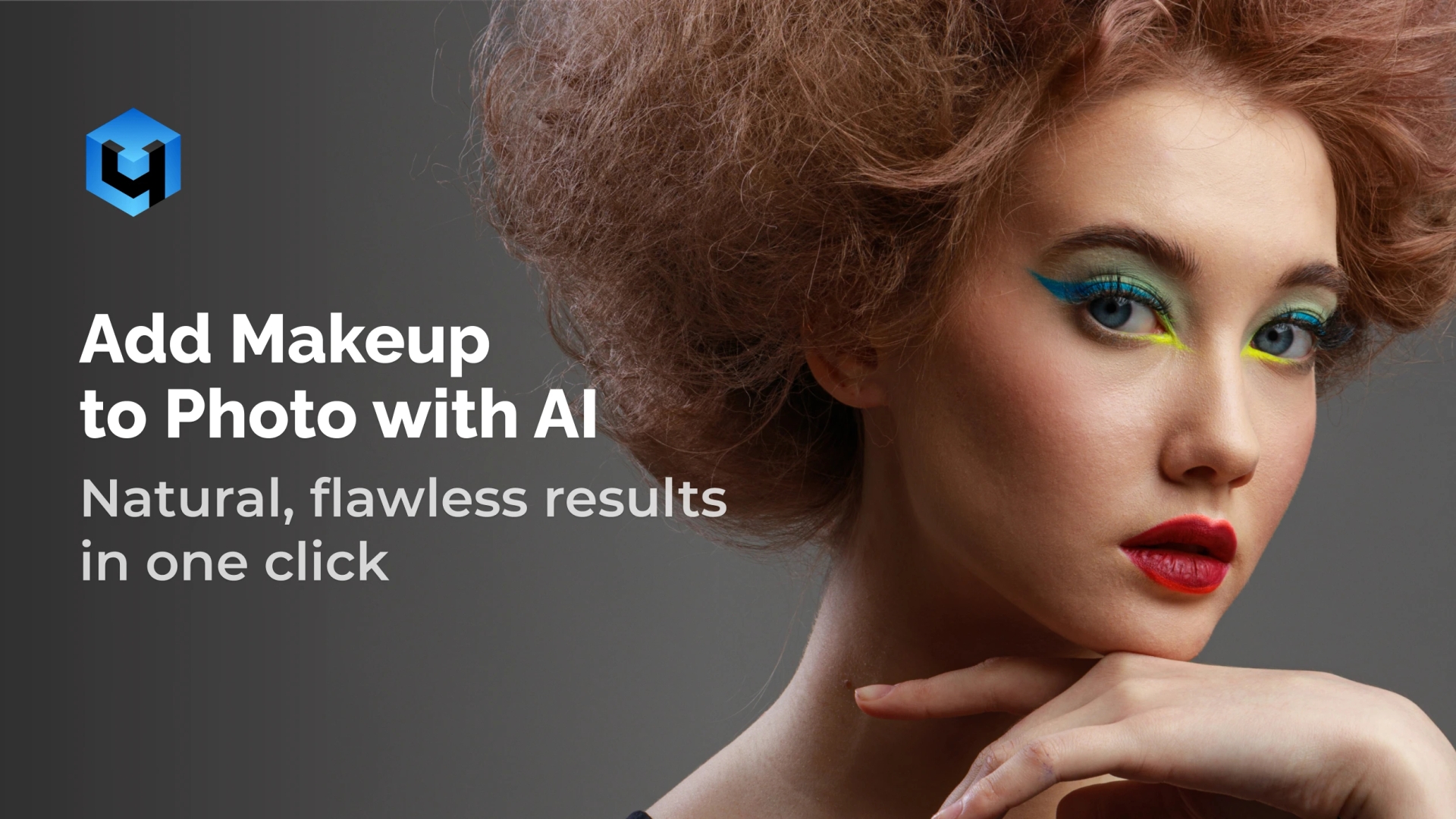
Instantly apply stunning natural-looking makeup to your portrait with a seamless makeup editor in seconds. Enhance lips, eyes, and skin tones in one click. Create flawless, consistent, professional results for beauty, fashion, and editorial work with an advanced design. Perfect for photographers and retouchers who value speed and precision.
Don’t Waste Time – Add Makeup to Your Photos Now
No credit card required. Works on macOS and Windows.
Powerful Features of Makeup Photo Tool
Eye Makeup Enhancement
Apply eyeshadow and eyeliner easily in one click. This AI eye makeup tool enhances eye shape and contour while keeping lashes and hair sharp.
Lip Color Application
Add lipstick shades or bold tones instantly for a glow that looks natural. The retouch keeps lips sharp and realistic, without changing background tones in your pictures.
Skin Tone Touch-Up
Apply blush or skin smoothing effects naturally while avoiding over-retouch or removing blemishes. Enhance complexion without masking texture or creating an artificial look.
Why Choose AI Makeup Tool
AI makeup retouching brings speed, consistency, and quality to your workflow. So, you can deliver professional, polished results across individual shots or full sessions.
Seamless Makeup Plugin
Add digital makeup that blends naturally with the face in an instant. Perfect for portraits, selfies, or creative filters.
Enhanced Natural Beauty
Subtly highlight features while preserving authentic skin texture. Images remain realistic and professional.
Makeup Touch-Up Options
Adjust makeup styles and intensity to match each project – from casual portraits to high-fashion editorials. Discover your favorite style with ease.
One-Click Batch Edits
Apply makeup to entire galleries at once. Save hours on retouching without sacrificing quality. Great for your YouTube video projects, social media posts on Facebook, Instagram, and Twitter.
How Makeup Tool Works
- Download and Install
- Install the app on macOS or Windows.
- Use standalone or as a plugin in Photoshop, Lightroom, Apex, Arams and more.
- Upload an Image
- Select your image and let AI detect facial features automatically.
- Apply Makeup and Fine-Tune Results in One Click
- Adjust settings to turn any look into reality. AI adds lipstick, blush, or eyeshadow instantly.
- Achieve a real, natural finish or experiment with different looks.
- Save and Export
- Export results in high quality.
Elevate your portraits with the AI-powered makeup photo tool. Fast, seamless, professional.
Retouch4Me vs Other Makeup Photo Tools
| Feature / Benefit | Retouch4me (AI Suite) | Manual Retouching | Other Apps and Makeup Tools |
| One-click makeup photo tool | ✅ Yes | ❌ Requires time | ✅ Basic only |
| Natural, texture-preserving look | ✅ Yes | ⚠️ Depends on skill | ❌ Often unrealistic |
| Adjustable makeup intensity | ✅ Yes | ✅ Yes | ❌ Limited |
| High-resolution image support | ✅ Yes | ✅ Yes | ❌ Limited |
| Professional-grade quality | ✅ Yes | ✅ With expertise | ❌ Casual only |
Transform portraits with an AI makeup tool in one click.
Customer Reviews
Retouch4Me Makeup Photo Plugin: Quick Review
Our most popular plugins
FAQ About Photo Makeup Tool
- Q: How to add makeup to photos online?
- A: Unfortunately, we do not support online service. However, you can use our photo tool on your device. Download the plugin or standalone app, upload your photo, apply makeup with AI, and export results in seconds.
- Q: Is there a makeup bronzer option?
- A: Yes. You can simulate makeup bronzer before committing to a look, helping you experiment with styles.
- Q: Can I adjust the intensity of the photo makeup?
- A: You can fine-tune lipstick, eyeshadow, or blush to match your style.
- Q: Does the AI create realistic results?
- A: The AI preserves skin texture, ensuring the makeup looks natural.
- Q: How does this fit with other Retouch4Me products?
- A: It works seamlessly alongside Heal, Dodge&Burn, and Skin Tone for complete retouching.
- Q: Is batch processing supported?
- A: You can apply makeup styles across large galleries automatically.
- Q: How is Retouch4Me different from others in simple terms?
- A: Unlike basic online makeup filters or mobile apps, Retouch4Me offers advanced editing designed for professionals. It’s the best choice for a virtual makeup tool trusted around the world.
- Q: Where can I find your privacy policy and terms?
- A: All privacy, policy, and terms documents are available on our website.
- Q: Can I cancel or manage my account?
- A: Yes. Users can easily cancel or update their account in settings.
- Q: Is support available in English?
- A: Yes. Support and resources are always available in English, 24 hours a day.
- Q: What are the pricing options?
- A: We offer cloud subscription and Pay as you go plans with flexible pricing.