

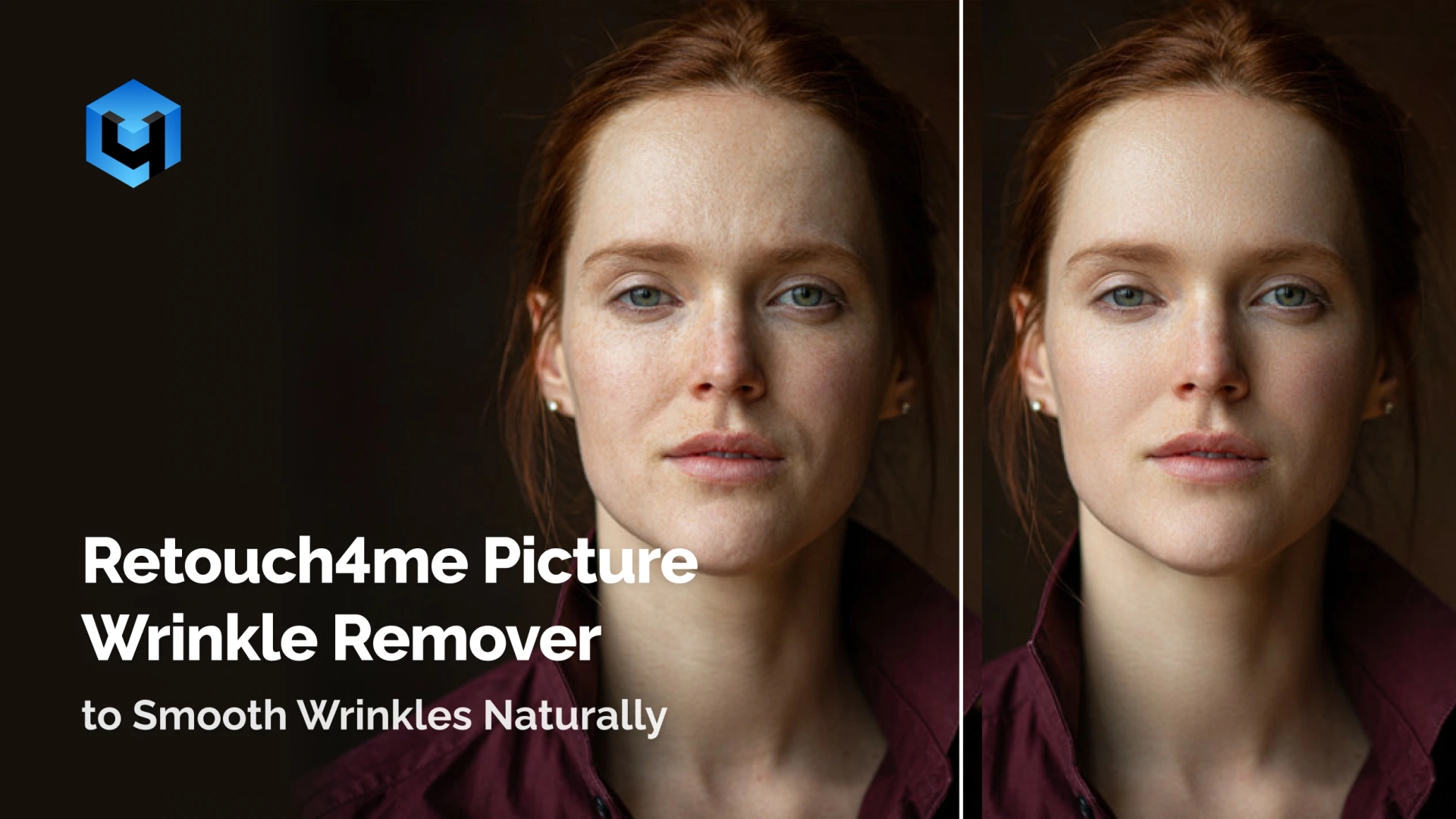
Remove wrinkles, fine lines, and under-eye folds from photos instantly. Retouch4Me Dodge & Burn can be your wrinkle remover that gives natural-looking results with preserved skin texture, subtle tonal shaping, and professional quality. Transform your photos with clean, realistic skin without blur.
What Retouch4Me All-In-One AI Facial Wrinkle Remover Can Do for You
Forehead Lines & Deep Creases
Smooth forehead lines and wrinkles from photos while keeping natural skin texture. The AI wrinkle remover for photos softens fine lines and deep creases using advanced, AI-powered tonal retouching. Results stay realistic with texture preserved without blur.
Under-Eye Wrinkles & Shadows
Reduce under-eye wrinkles, lines, and shadow buildup in your photo. This wrinkle remover for face keeps the facial tone balanced and natural-looking. Perfect for portrait editing, selfies, selfie beauty shots, and high-end professional headshots.
Crow’s Feet & Eye Corner Lines
Clean up eye corner wrinkles from photos with subtle, precise tonal shaping. The AI adjusts your image automatically and keeps fine details, effects, and highlights intact. Ideal for portrait photos with expressive subjects who need smooth, natural enhancement.
Smile Lines
Gently remove wrinkles from your photos around the mouth while keeping all facial features intact. Smooth deep smile lines without changing expression or blemish structure. A perfect tool for editing mature images, portrait sets, or commercial photos.
Perfect for Every Type of Photography
- Portrait Photography: Remove wrinkles from photos while keeping skin natural-looking.
- Achieve a balanced, smooth portrait without losing detail.
- Beauty & Editorial Retouching: Create flawless, professional beauty results.
- Smooth fine lines and wrinkles while preserving makeup texture, color, and tone.
- Headshots & Branding Images: Deliver clean, polished professional-grade results for actors, models, corporate clients, and influencers.
- Retouch facial lines naturally without altering identity.
- Weddings & Events: Enhance portraits taken in harsh or mixed lighting.
- Reduce wrinkles from long days, emotional moments, and close-up shots.
Still Thinking It Over?
Natural Results Without Blur
The AI softens wrinkles with tonal correction while preserving natural skin texture. No blur, no over-smoothing, no artificial effects, only natural-looking results in seconds. Your portraits stay clean, flawless, and professional.
Consistent Quality Across Entire Galleries
Apply wrinkle removal to photos, selfies, and images fast, with the same result in every file. Ideal for beauty photoshooting, weddings, studio photos, or editor workflows that require consistency. Your photo retouching becomes faster, easier, and more professional-grade.
Professional-Grade Retouching
Works on large image files and portrait RAWs while keeping high quality intact. Great for retouch, commercial editing, make-up looks, and selfies that need precise control of fine lines and wrinkles. Delivers a perfect, smooth finish suitable for pro photographers.
Fast Workflow
Removes wrinkles from your photo instantly. No manual masking, frequency separation, or complicated tools are required. Save time, improve your workflow, and help clients smooth faces effortlessly and achieve youthful appearance.
How to Use the AI Picture Wrinkle Remover
- Download and Install
- Install Retouch4Me Dodge & Burn on macOS or Windows.
- Use standalone or as a retouch plugin in Photoshop, Lightroom, Apex, or Arams.
- Upload Your Photo
- Upload your photo or full portrait.
- The tool scans fine lines, wrinkles, and facial structure automatically.
- Remove Wrinkles from Photos
- The AI smooths wrinkles while keeping realistic skin texture.
- Apply subtle or deep smoothing based on the face and image.
- Preview and Fine-Tune
- Compare before/after and refine smoothing for perfect results.
- Maintain natural-looking results while removing visual distractions.
- Save and Export
- Export your high-quality image and continue editing in your workflow.
- Save your edited image in the desired format.
Retouch4Me vs Manual Wrinkle Editing
| Feature / Benefit | Retouch4Me Dodge & Burn | Manual Retouching | Free Apps |
| Result Quality | ⭐ Natural-looking, high quality | ⚠️ Depends on skill | ❌ Over-blurred |
| Texture Preservation | ✓ Keeps skin texture & details | ⚠️ Time-consuming | ❌ Plastic look |
| Speed | ⚡ One-click, instant | ⏳ Hours | ⚠️ Inconsistent |
| Detail Handling | ✓ Fine lines + deep creases | ⚙ Manual frequency work | ❌ Oversoftened |
| Ease of Use | 👆 Simple, easy workflow | 🖊 Complex workflow | ⚠️ Limited tools |
| Consistency | ✓ Same results across full galleries | ⚠️ Varies image-to-image | ❌ Unreliable |
Retouch4Me Dodge & Burn: Quick Review
Frequently Asked Questions
Which Retouch4Me plugin removes wrinkles?
Retouch4Me Dodge & Burn smooths wrinkles, fine lines, and aging signs using tonal correction while keeping skin texture intact.
Does it blur or distort the face?
No. It preserves natural skin texture and facial features, unlike blur-based free apps.
Will the results look natural?Will the results look natural?
Yes. AI softens wrinkles while preserving natural skin texture and facial features.
Does it remove deep wrinkles?
It reduces deep forehead, eye, and smile lines without flattening the face.
Is there a free trial?
Yes, you can try the ai face wrinkle remover before paying.