

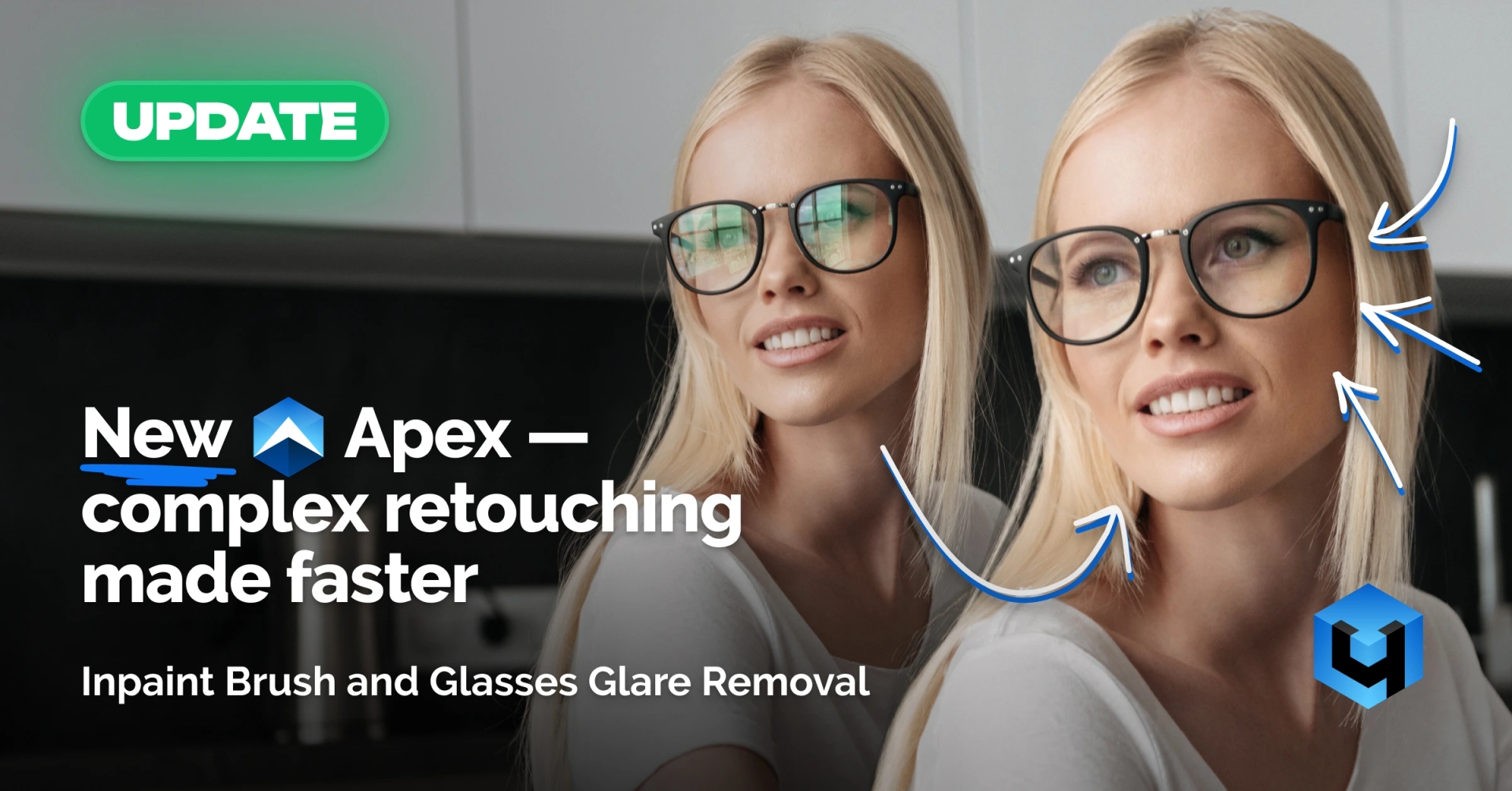
Inpaint Brush and Glasses Glare Removal for Portrait Retouching
In portrait and commercial retouching, a significant amount of time is spent on repetitive technical fixes. Small defects, damaged skin areas, and glasses glare rarely require complex solutions but are usually handled manually and do not scale efficiently in batch workflows.
Version 1.207 of Retouch4me Apex introduces two tools specifically designed to automate these tasks: the Inpaint Brush and Glasses Glare Removal.
Inpaint Brush for Defect Removal and Image Restoration
Tool Purpose
The Inpaint Brush is used to remove small unwanted elements and restore image areas. The tool analyzes the surrounding region and fills the selected area according to the texture, tone, and structure of the image.
It is intended for local corrections and does not replace manual retouching in complex areas but allows fast correction of common defects without manual cloning.
Practical Use Cases
The Inpaint Brush is applied in situations where Clone Stamp or Healing Brush would normally be used:
- Removing threads on clothing, dust, or small background objects
- Restoring skin areas after local corrections or aggressive cleanup
- Fixing makeup defects and uneven edges
- Correcting minor technical issues that do not require detailed painting
This workflow reduces the number of manual operations and minimizes additional layers and masks.
Glasses Glare Removal for Portraits
Tool Purpose
Glasses Glare Removal automatically reduces glare on glasses. The tool detects reflections and minimizes their effect while preserving the visibility of eyes and the natural appearance of lenses.
It is designed for typical glare scenarios and does not require manual masking or complex local adjustments.
Practical Use Cases
Glasses Glare Removal is used when reshooting is impossible or impractical:
- Portraits and business headshots with glasses
- Corporate shoots and LinkedIn photos
- Interview and editorial portraits
- Family and wedding photography
- Commercial and advertising portraits
The tool enables fast correction of glare without extended manual retouching.
Integrating the Tools in Retouch4me Apex
Both tools are integrated into the Apex workflow:
- Inpaint Brush is applied to individual images for local corrections
- Glasses Glare Removal can be applied to single images or multiple files in batch mode
Version 1.207 addresses tasks that often create bottlenecks in large portrait workflows: local defects on single images and glare reduction in single or batch processing.
Conclusion
Retouch4me Apex v.1.207 extends automation capabilities in portrait and commercial retouching with tools for addressing common technical issues. The update reduces manual intervention in areas where automation was previously limited.