

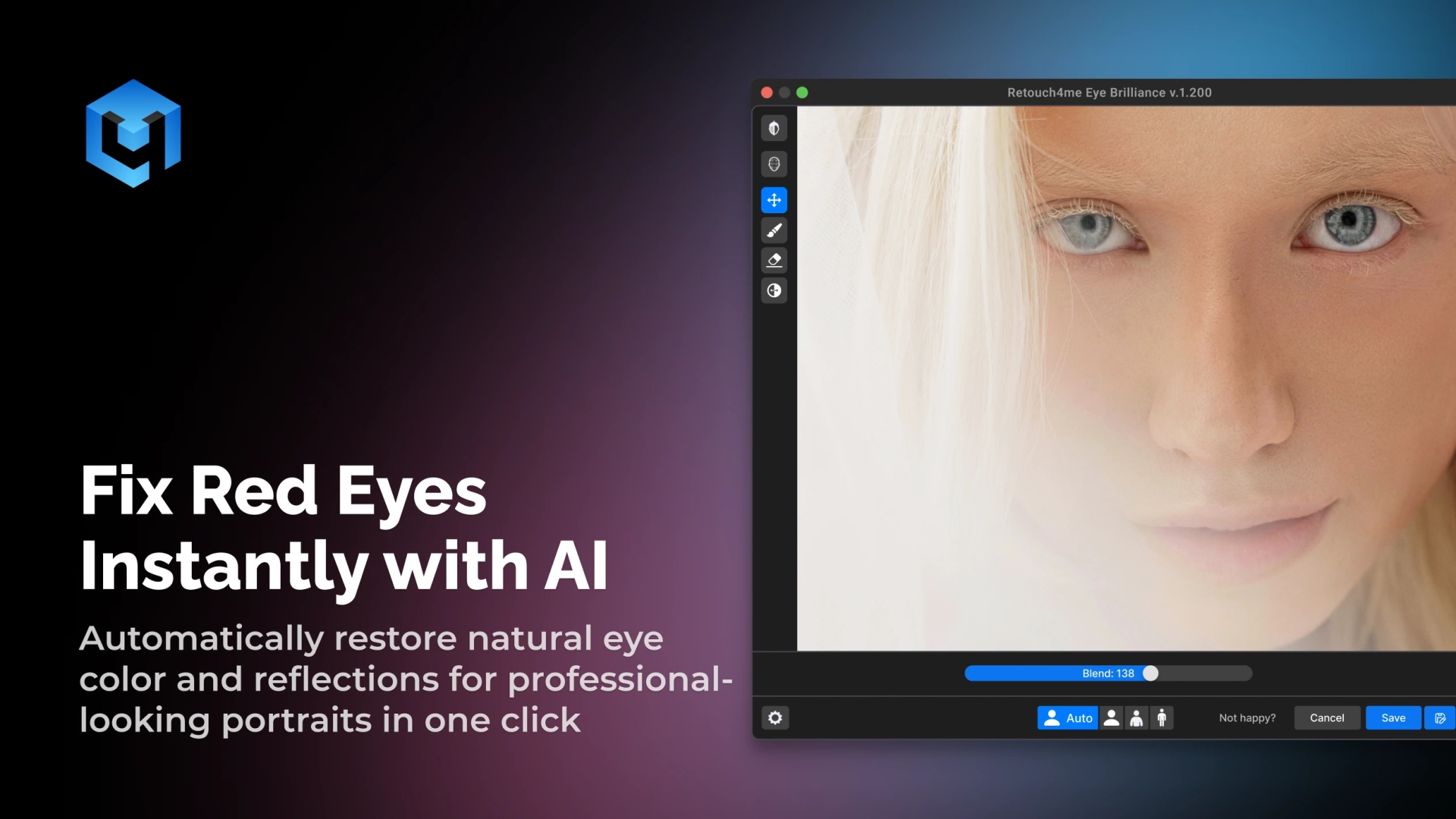
Retouch4Me Eye Bundle — Eye Brilliance, Eye Vessels, and Eyes Masking — is an AI photo red eye remover that automatically fixes the red eyes in your photos. The tool restores natural eye color and reflection with just one click, giving your portraits a high-quality, professional finish. Try Retouch4Me AI Red Eye Remover tools for your workflow.
Get Rid of Red Eyes from Photos
No Credit Card Required. Works on macOS and Windows.
Simple Red Eye Removal That Looks Natural
Eye Brilliance – Brighten & Accentuate the Iris
Retouch4Me Eye Brilliance automatically detects the eyes from photos and enhances them using a subtle dodge & burn technique. The plugin adds clarity, depth, and focus to the iris. It also draws attention to the eyes without altering natural tone or expression.
Eye Vessels – Reduce Redness Naturally
Retouch4Me Eye Vessels automatically detects the whites of the eyes in the photo and gently retouches them. It removes visible blood vessels and redness while keeping the natural texture completely intact.
Eyes Masking – Select Eyes Automatically
Retouch4Me Eyes Masking works perfectly on portraits and group photos, saving time in high-volume workflows. Keep a consistent, natural look across every portrait. Plugin also allows you to mask the eyes and save it as a separate layer.
Red Eye Remover for Photos: Revive Original Eye Color
- Portrait Photography: Brighten eyes, clean up redness, and bring life into expressions.
- Deliver natural, engaging portraits in seconds.
- Wedding & Event Photography: Restore eyes naturally across large galleries with one click.
- Ensure every couple and guest looks perfect in every shot.
- E-commerce & Product Pictures: Enhance eyes for commercial-grade results.
- Maintain brand consistency and realism.
- Editorial & Social Media Content: Maintain clean, sharp eyes for catalog shots, model images, or beauty product campaigns.
- Keep every picture sharp, expressive, and true to life.
One-Click Red Eye Remover: Instant & Precise
Try It Free
How to Use the AI Red Eye Remover
- Download and Install All Included Plugins
- Each plugin installs on macOS or Windows and works both as a standalone app and as a plugin for Photoshop, Lightroom, Apex, and Arams.
- Upload Your Photo or Images
- Import one or multiple portraits.
- The AI automatically identifies and prepares areas for correction.
- Automatic Eye Detection and Correction
- Let AI detect and correct red eyes automatically.
- Review and Save
- Review the before/after and save your photo.
Why Choose Retouch4Me AI Red Eye Remover
| Feature / Benefit | Retouch4Me Eyes Bundle | Manual Editing | Online Tools |
| Result Quality | 👁️ Natural & consistent eye color | ⚠️ Depends on precision | ❌ Often flat or fake |
| Detection Accuracy | 🤖 AI finds red eyes automatically | ⚙️ Requires manual selection | ⚠️ Inconsistent detection |
| Texture Preservation | ✅ Keeps natural iris detail & reflections | ⚠️ Risk of dulling | ❌ Removes natural highlights |
| Speed | ⚡ Instant correction | ⏳ Time-consuming edits | ⚠️ Slower on multiple photos |
| Batch Processing | 📸 Fixes hundreds of portraits at once | ❌ Manual per photo | ⚠️ Limited or unavailable |
| Ease of Use | 👆 One click, no masking or tools | 🖊️ High skill required | ⚠️ Few reliable options |
| Consistency | 🖼️ Same tone across galleries | ⚠️ Varies by edit | ❌ Unstable results |
Professional Results in Half the Time
Download Free Trial
Haven’t Decided Yet? Here’s Why You’ll Love This Bundle
Effortless Workflow, Professional Quality
Stop spending time on manual eye corrections. Let AI enhance your photos with a simple red eye removal process, so you can focus on creativity.
Looks Real – Not Retouched
Remove red eyes in seconds and achieve a natural look with just one click. The algorithm understands eye texture, so your results look natural, not flat or lifeless.
Save Hours on Large Projects
Wedding, event, or portrait sessions? Whether working on group photos or detailed portraits, AI keeps your results authentic.
Works with Any Photo Type
Whether it’s a selfie, studio portrait, or flash-lit event shot, AI lets you stop manual editing. Enjoy instant correction with professional accuracy.
Retouch4Me Eyes Bundle : Quick Review
Frequently Asked Questions
What does the Eyes Bundle include?
It includes Eye Brilliance, Eye Vessels, and Eyes Masking — three tools for eye enhancement and redness correction.
Can it correct red eyes in group photos or under different light conditions?
Yes, it automatically adapts to light conditions and processes multiple portraits at once.
How do I use or share results?
Just upload your images, edit, and save or share the results instantly.
Is the tool available as a plugin?
Yes. It integrates with Photoshop, Lightroom, and Apex/Arams, plus standalone options for macOS and Windows.
Where can I find pricing or contact support?
Visit our Pricing or Contact page for details.
Where can I learn more or contact support?
Visit our Contact Page or explore the Retouch4Me Blog for tutorials, pricing, and updates.
Where can I find your terms and policy?
All terms and policy details are on our website.