

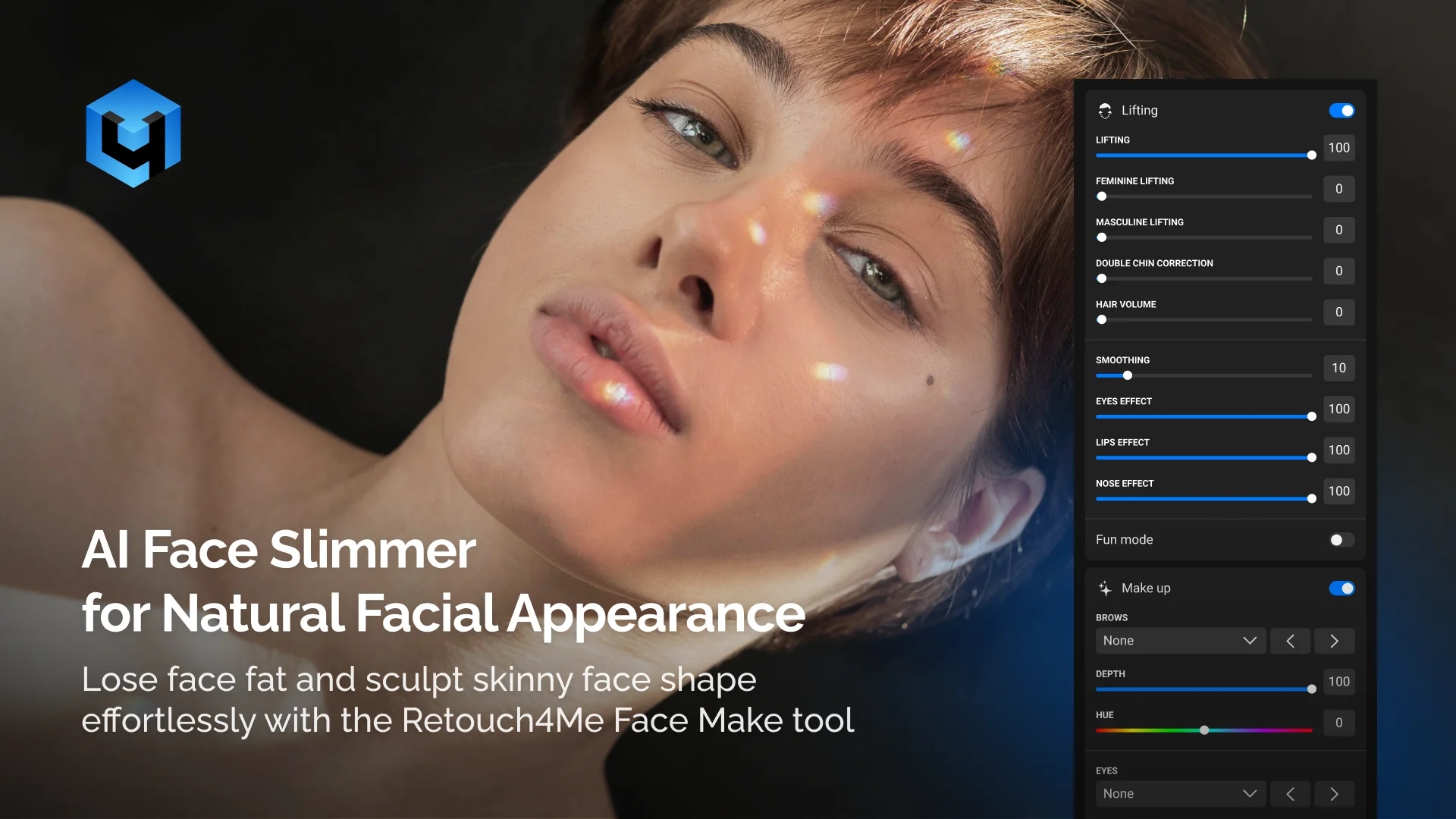
Want a slimmer face without surgery? Retouch4Me Face Make helps photographers and creators achieve a sleeker look with AI face slimmer technology. Create a slimmer, V-shaped jawline and perfect face symmetry while preserving natural facial proportions and expressions. This professional photo tool delivers natural looking results that refine face and neck contour without exaggeration.
Achieve a Sleeker Look with AI Face Slimmer
Face shape plays a major role in how portraits are perceived. Lighting, camera angle, and lens choice can unintentionally widen facial features including double chin, even in professional shoots.
A precise face shape edit allows photographers to sculpt skinny face shape aesthetics without over-editing or changing a person’s real appearance.
With AI face slimmer you can:
- Correct lens distortion
- Balance facial proportions
- Improve visual harmony
- Maintain realism without over-editing
It solves this in seconds, without complex manual edits.
Natural Results Without Distortion or Overprocessing
Traditional facial slimming relies on manual liquify tools, which often cause:
- Warped backgrounds
- Unnatural jawlines
- Stretched skin texture
- Inconsistent results across images
Face slimmer avoids all of this by working directly with facial anatomy instead of pixels.
Get a Naturally Slim Face in Photos with Our AI Face Slimmer
AI-Powered Facial Proportion Detection
Retouch4Me Face Make automatically analyzes your facial features such as eyes, lips, nose, and cheekbones. The tool applies subtle slimming adjustments for perfect face symmetry while preserving realistic facial and eye proportions.
Adjustable Slimming Intensity
Control the amount of your face slimming applied to create a slimmer, v-shaped jawline. Fine-tune results to match editorial, portrait, or commercial standards.
Non-Destructive Retouching
Edits are applied without damaging original image data, making it safe for professional workflows and revision cycles. This approach ensures results that remain consistent across every photo with facial detail preserved.
Works as a Plugin or Standalone Tool
Integrates seamlessly into desktop workflows using Retouch4Me plugins or standalone apps, depending on your editing setup.
Made for Every Style of Photography
- Portrait Photography: Enhance facial appearance while keeping skin texture and expressions natural.
- Beauty & Editorial Shoots: Achieve clean, magazine-ready results without over-retouching.
- Headshots & Personal Branding: Deliver confident, professional portraits for actors, executives, and creators.
- Wedding & Event Photography: Fix angle-related distortions and maintain consistency across large galleries.
- Social Media & Content Creation: Create polished visuals that still look authentic and unedited while reducing visual weight.
Batch Face Slimming for Professional Workflows
Retouch4Me Face Make supports batch processing, allowing you to:
- Apply the same slimming effect to multiple images
- Maintain consistent facial proportions across entire shoots
- Reduce editing time dramatically
Unlike many AI face slimming online tools designed for casual edits, this tool applies the same facial tightening, lift, and proportion adjustments across hundreds of photos easily. This eliminates repetitive manual removal work and ensures uniform results across all faces, whether editing individuals or groups of men and women.
Perfect for studios, agencies, and high-volume photographers.
How the Retouch4Me Face Make Works
Install the Plugin or Standalone App
- Available for macOS and Windows. Use Retouch4Me Face Make as a standalone application or as a plugin within Photoshop and other supported editors.
Upload your photos
- Import single images or entire photo folders. The plugin detects facial structure and profile angles automatically, no manual selection required.
AI analyzes facial geometry
- The system identifies cheeks, jawline, facial contours and applies a precise face shape edit automatically.
Subtle slimming is applied
- Facial width is reduced naturally while preserving expressions, skin texture, and identity.
Fine-tune the intensity
- Adjust the strength to match your creative or commercial needs.
Save and Export
- Save high-quality results or continue retouching using other Retouch4Me plugins within your existing workflow.
AI Face Slimmer vs Manual Editing vs Free Apps
| Feature / Benefit | Retouch4Me Face Make | Manual Retouching | Free Apps |
| Speed | One-click, batch-ready | Slow, image-by-image | Fast but basic |
| Natural Results | Preserves facial structure | Depends on skill | Often over-smoothed |
| Control | Smart AI, adjustable | Full manual control | Very limited |
| Batch Processing | Yes | No | Rare |
| Consistency | Identical across sets | Hard to replicate | Inconsistent |
| Artifacts Risk | Minimal | High if overdone | Very high |
Still Thinking It Over?
Reliable Results Without Over-Editing
Face Slimmer enhances your facial balance without changing identity or expressions.
Fast, Automated Workflow
One-click processing replaces time-consuming manual adjustments.
Professional-Grade Consistency
Get predictable, natural results across portraits, events, and campaigns.
Retouch4Me Face Make: Quick Review
Refine Faces Naturally in Seconds
Get the Retouch4Me Face Make
Frequently Asked Questions
Does Face Slimmer change facial identity?
No. The plugin is designed to preserve facial features and expressions while subtly helping lose face fat.
Can I control the slimming strength?
Yes. You can adjust the intensity to keep results subtle or more noticeable.
Is this suitable for professional photography?
Absolutely. Face Slimmer is built for commercial, editorial, and studio-level workflows.
Does it work with batch editing?
Yes. You can apply the same settings across multiple images for consistent results.
Can I sculpt a skinny face shape without making it obvious? Yes. The AI is designed to sculpt skinny face shape aesthetics subtly while preserving natural facial structure.